
Vectors with Airplanes Demo
Loading the math board and drawing, please wait…
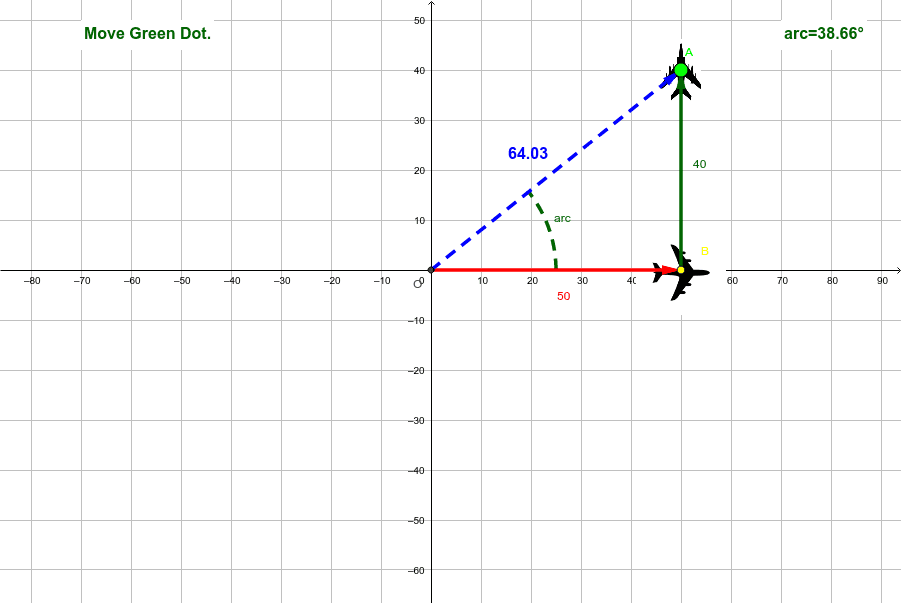
This example demonstrates the application of vectors in airplane movement, visualizing vector addition, rotation, and geometric significance. Core math concepts include vectors, angles, geometric distribution, area, logarithms, and general quadrilaterals. Construction highlights GeoGebra commands like Intersect, Vector, Angle, CircleArc, Corner, Midpoint, Polygon, PointIn, and Rotate. Suitable for high school and above learners to understand vector operations and geometric transformations in physical models.
GeoGebra Commands & Parameters
Intersect(xAxis, yAxis) → OVector(B, A) → A_{vector}Vector(O, B) → B_{vector}Vector(O, A) → ResultAngle(Segment[O, (5, 0)], Segment[O, A]) → O_{angle}CircleArc(O, (25, 0), A) → arcCorner(pic2, 4) → A_4Corner(pic1, 3) → B_3Corner(pic1, 4) → B_4Midpoint(B_1, B_3) → B_cCorner(pic2, 3) → A_3Midpoint(A_1, A_3) → A_cPolygon(B_1, B_2, B_3, B_4) → poly1, b_1, b_2, b_3, b_4Polygon(A_1, A_2, A_3, A_4) → poly2, a_1, a_2, a_3, a_4PointIn(poly1) → CRotate(pic1, α, B_c) → pic1'Rotate(pic2, α, A_c) → pic2'
AI Drawing Prompt Reference
Create a vector demonstration with airplanes in a coordinate plane. Start with the origin, place two airplane images, and connect the four corners of each image into a quadrilateral outline. Mark the center of each outline by joining opposite corners. Draw vectors from the origin to the two airplane positions, and connect those positions to form a third vector showing vector addition. Add an arc at the origin to indicate the angle from the positive horizontal direction to the second position vector. Place one point inside the first airplane outline. Finally, rotate both airplane images by the same angle around their centers to show the transformed positions.
The prompt above was compiled from the original drawing commands and is for reference only.