
Dynamic Inequalities on a Number Line
Loading the math board and drawing, please wait…
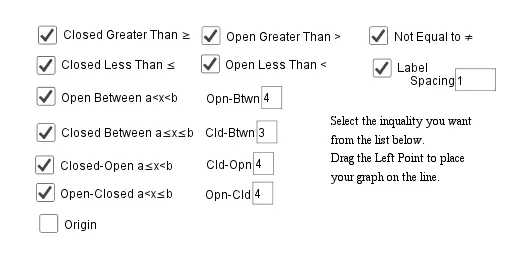
This example demonstrates how to visualize dynamic solution sets of one-variable inequalities on a number line by combining geometric primitives such as segments, rays, and open/closed endpoints. It highlights the key ideas of inequality graphing, interval notation with endpoint inclusion/exclusion (open vs. closed circles), and boundary-line intuition related to tangent/boundary constructions. In GeoGebra, the build uses commands like Segment, Corner, Sequence, and Textfield to create and label defining elements (points, edges, and annotations). It further assembles objects including Xaxis, LtEdge/RtEdge and LtArrow/RtArrow to form left/right boundary direction, and uses rayClosedRt, rayOpenedRt, rayClosedLt, rayOpenedLt (plus corresponding point–ray combinations such as RtPtRtRayClosed/RtPtRtRayOpen and LtPtLtRayClosed/LtPtLtRayOpen) to correctly encode whether endpoints are included. Conditions are represented through structured constructs such as between with its closed/open variants (Clsdbetween, ClsdOpBetween, OpClsdBetween) and inequality-specific operators like OpGT/OpLT and NotEqual1/NotEqual2, enabling the solution set to update dynamically. Suitable for secondary school through early college learners, classroom demonstrations, and graphing-based inequality problem solving.
GeoGebra Commands & Parameters
Segment((-100, 0), (100, 0)) → XaxisCorner(1) → LtEdgeCorner(3) → RtEdgeSegment(A, (x(RtEdge), y(A))) → rayClosedRtSegment(B, (x(LtEdge), y(B))) → rayClosedLtSegment((x(C) + 0.25, y(C)), (x(RtEdge), y(C))) → rayOpenedRtSegment((x(D) - 0.25, y(D)), (x(LtEdge), y(D))) → rayOpenedLtSegment((x(E) + 0.25, y(E)), (x(F) - 0.25, y(E))) → betweenSegment((x(G) + 0.25, y(G)), (x(H) - 0.25, y(H))) → ClsdbetweenSegment((x(I) + 0.25, y(I)), (x(J) - 0.25, y(J))) → ClsdOpBetweenSegment((x(K) + 0.25, y(K)), (x(L) - 0.25, y(L))) → OpClsdBetweenSegment((x(M) + 0.25, y(M)), (x(Corner[3]) - 0.25, y(M))) → NotEqual1Segment((x(M) - 0.25, y(M)), (x(Corner[1]) + 0.25, y(M))) → NotEqual2Sequence((n, 0), n, -50, 50) → PtsSequence((n - 0.15, -0.5), n, -50, 50) → PtLblsSequence(Text[(n * mult), PtLbls(n + 51), true, false, 0, 0], n, -50, 50) → PointLocTextfield(mult) → SpacingTextfield(o) → CldOpn_{1}Textfield(m) → CldBtwn_{1}Textfield(p) → OpnCldTextfield(n) → OpnBtwn
AI Drawing Prompt Reference
Draw a number line from -100 to 100. Add left boundary LtEdge and right boundary RtEdge. Then draw closed right boundary segment and closed left boundary segment. Next, draw open right boundary segment and open left boundary segment. Use between, ClsdOpBetween, CldOpBetween, NotEqual1, and NotEqual2 to represent different intervals. Finally, draw a series of evenly spaced points and labels with spacing determined by user input.
The prompt above was compiled from the original drawing commands and is for reference only.