
Number Line Construction Tool
Loading the math board and drawing, please wait…
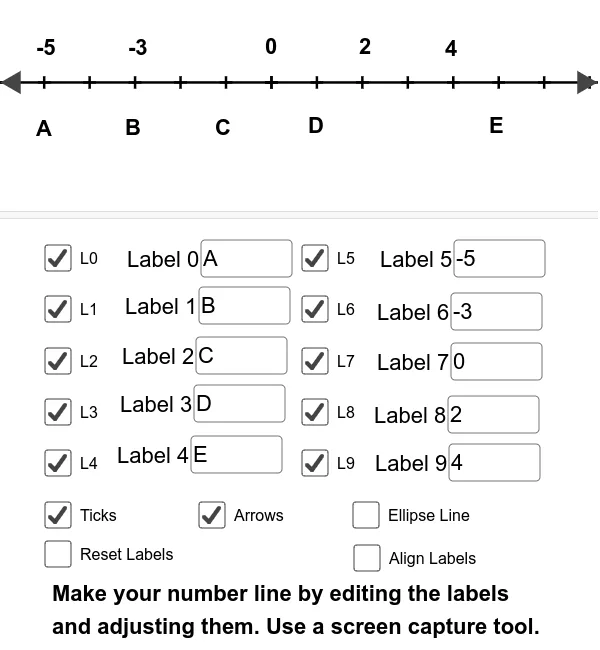
This example demonstrates how to construct a number line and related elements using GeoGebra. Core math concepts include number lines, coordinates, and geometric transformations. Key GeoGebra commands used are Sequence for ticks, Segment for lines, Textfield for labels, Ellipse, and Corner for corner connections. Suitable for middle school and above, teaching number line operations, equation solving, and function graphing.
GeoGebra Commands & Parameters
Sequence((n, 0), n, 0, 50) → list2Sequence(((-n), 0), n, 0, 50) → list1Segment((-100, 0), (100, 0)) → fTextfield(text1) → Label1Textfield(text2) → Label2Textfield(text3) → Label3Textfield(text4) → Label4Textfield(text5) → Label5Textfield(text6) → Label6Textfield(text7) → Label7Textfield(text8) → Label8Textfield(text9) → Label9Textfield(text0) → Label0Ellipse((-0.2, 0), (0.2, 0), 0.25) → cCorner(1) → ACorner(3) → CSegment((x(A), -0.5), (x(C), -0.5)) → align2Segment((x(A), 1.25), (x(C), 1.25)) → align1
AI Drawing Prompt Reference
Draw a horizontal number line extending from -100 to 100 on the x-axis. Generate tick marks at every integer unit from -50 to 50, both above and below the line. Place ten text boxes below the number line, labeled with digits 0 through 9, arranged in a row. Near the origin, draw a small flattened ellipse as a marker on the line. Add two horizontal alignment guides: one below the number line at y = -0.5 and one above at y = 1.25, both spanning the same width as the number line. Ensure the layout clearly shows the number line, ticks, text boxes, and guides in relation to each other.
The prompt above was compiled from the original drawing commands and is for reference only.