
Approximating Square Roots between Consecutive Integers
Loading the math board and drawing, please wait…
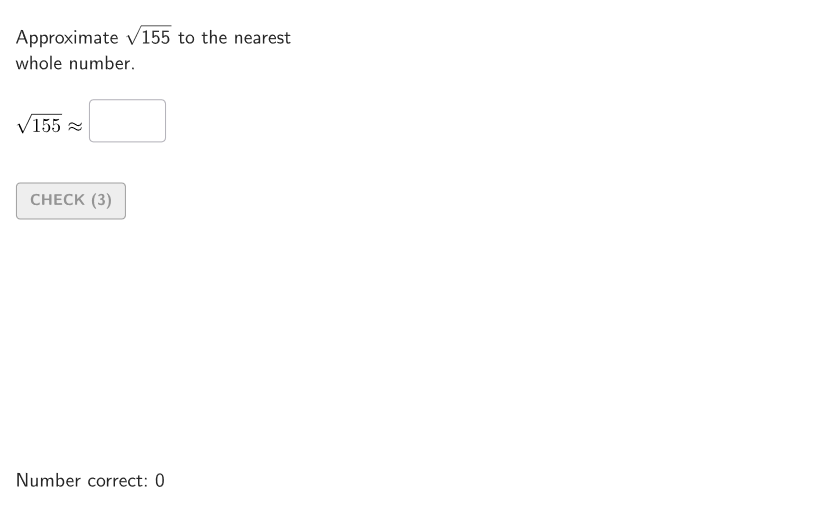
This GeoGebra lesson demonstrates how to approximate the square root of a number by locating it between two consecutive integers and comparing the estimate to the actual value. It focuses on the definition of square roots, interval reasoning (using k^2 and (k+1)^2 to bracket the target), and numerical approximation with a calculator. Construction and interactivity are driven by commands such as Shuffle (randomized problem selection), Sequence (organizing values/steps), Take and Element (selecting key objects), Textfield (student input and feedback), Polygon and Corner (building the visual structure), and expandSegment (extending auxiliary segments). The lesson also uses If for conditional logic and validation controls like validate/btnValidate, tries, countCorrect, showhint, and showanswer, with objects such as InputBox1/InputBox2 and textAnswer to support guided practice. Best suited for grades 6–8 and for estimating square roots with or without models.
GeoGebra Commands & Parameters
Shuffle(Sequence[t, t, 100, 225, 1] \ Sequence[t^(2), t, 10, 15]) → allAreas, {155, 150, 158, 194, 127, 146, 220, 163, 132, 208, 172, 101, 203, 198, 129, 161, 191, 160, 119, 122, 164, 217, 214, 219, 108, 202, 152, 197, 205, 124, 102, 192, 177, 178, 133, 125, 107, 189, 200, 118, 190, 112, 223, 206, 175, 138, 159, 168, 185, 199, 149, 140, 139, 213, 212, 210, 209, 207, 204, 176, 105, 167, 136, 130, 215, 180, 222, 182, 188, 131, 120, 201, 165, 113, 116, 157, 142, 117, 104, 137, 147, 111, 211, 218, 183, 141, 162, 193, 186, 123, 187, 126, 110, 166, 173, 171, 151, 145, 154, 128, 179, 156, 134, 148, 109, 106, 224, 170, 135, 216, 195, 103, 153, 114, 221, 174, 115, 143, 181, 184}Element(allAreas, Mod[countQuestion, Length[allAreas]] + 1) → givenAreaSequence(Random[0, 99] / 100, A, 1, 200) → allRandomSeeds, {0.85, 0.63, 0.2, 0.56, 0.04, 0.5, 0.07, 0.28, 0.52, 0.54, 0.28, 0.06, 0.96, 0.93, 0.61, 0.98, 0.84, 0.56, 0.52, 0.57, 0.12, 0.01, 0.38, 0.44, 0.25, 0.43, 0.44, 0.95, 0.47, 0.26, 0.75, 0.22, 0.57, 0.75, 0.75, 0.51, 0.87, 0.78, 0.04, 0.53, 0.94, 0.84, 0.36, 0.06, 0.66, 0.08, 0.09, 0.98, 0.42, 0.76, 0.98, 0.33, 0.58, 0.24, 0.09, 0.7, 0.73, 0.95, 0.25, 0.07, 0.47, 0.55, 0.42, 0.66, 0.01, 0.6, 0.05, 0.09, 0.41, 0.17, 0.54, 0.42, 0.93, 0.43, 0.3, 0.73, 0.39, 0.38, 0.39, 0.32, 0.23, 0.55, 0.1, 0.46, 0.68, 0.95, 0.35, 0.79, 0.17, 0.67, 0.08, 0.48, 0.6, 0.85, 0.76, 0.02, 0.99, 0.06, 0.76, 0.5, 0.03, 0.35, 0.29, 0.48, 0.51, 0, 0.93, 0.89, 0.05, 0.81, 0.7, 0.68, 0.02, 0.04, 0.45, 0.15, 0.37, 0.44, 0, 0.6, 0.89, 0.58, 0.91, 0.71, 0.7, 0.13, 0.54, 0.39, 0.82, 0.4, 0.36, 0.81, 0.6, 0.87, 0.37, 0.6, 0.58, 0.46, 0.72, 0.48, 0.39, 0.28, 0.6, 0.98, 0.37, 0.27, 0.26, 0.21, 0.69, 0.38, 0.88, 0.12, 0.86, 0.52, 0.69, 0.71, 0, 0.79, 0.6, 0.03, 0.33, 0.54, 0.79, 0.43, 0.78, 0.31, 0.85, 0.33, 0.04, 0.06, 0.06, 0.62, 0.63, 0.58, 0.23, 0.62, 0.27, 0.29, 0.09, 0.56, 0.73, 0.09, 0.46, 0.63, 0.5, 0.62, 0.95, 0.37, 0.59, 0.59, 0.57, 0.32, 0.58, 0.93, 0.19, 0.87, 0.97, 0.3, 0.66, 0.67}Take(allRandomSeeds, randIndex, randIndex + numRandoms - 1) → currentRandomSeedsTextfield(input1) → InputBox1Textfield(input2) → InputBox2Polygon(Zip[PixelsToPoint[Corner[1], Corner[3], Corner[5], A], A, {(pixelsLeft, pixelsTop), (pixelsLeft, y(Corner[5]) - pixelsBottom), Corner[5] - (pixelsRight, pixelsBottom), (x(Corner[5]) - pixelsRight, pixelsTop)}]) → borderBoxCorner(5) → layoutAppSizeexpandSegment(PMoveA, PMoveB, (pulsing * 7), Corner[1], Corner[3], Corner[5]) → pulsingObjectonboardingTextOffset(Corner[onboardingText, 1], Corner[onboardingText, 3], onboardingCase, Corner[1], Corner[3], Corner[5]) → OnboardingTextOffsetPolygon(O, A, 4) → helpSquare, f, g, h, i, B, CPolygon((0, 0), (solInf, 0), 4) → squareInfPolygon((0, 0), (solSup, 0), 4) → squareSupPolygon((0, 0), (sol, 0), 4) → squareSolIf(aniMaster > solInf, Segment[(solInf, -1), (x(A), -1)]) → displayLength2If(aniMaster < solInf, Segment[(0, -1), (x(A), -1)], aniMaster ≥ solInf, Segment[(0, -1), (solInf, -1)]) → displayLength1
AI Drawing Prompt Reference
Create a geometric illustration showing how to approximate the square root of a number by locating it between two consecutive integers. Include two squares representing the squares of these integers and a line segment for the square root. Display a randomly chosen area value and a randomly generated number between 0 and 1. Use comparison and calculation to show the relationship between the estimated and actual values, and include a dynamic auxiliary segment to aid understanding.
The prompt above was compiled from the original drawing commands and is for reference only.