
Vector Motion in Two Dimensions
Loading the math board and drawing, please wait…
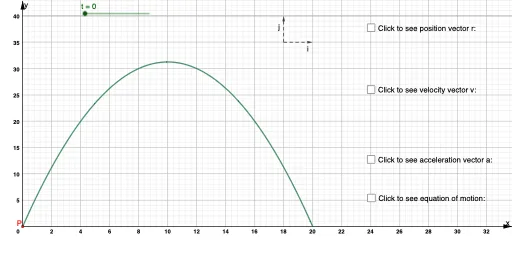
This example demonstrates the use of vectors to describe and plot motion in a two-dimensional plane. Key mathematical concepts include vector operations, parametric equations, and coordinate geometry. Construction highlights involve using GeoGebra's CurveCartesian command to draw curves, Vector command to create vectors, and t parameter to control motion trajectories. Suitable for high school and above students to learn and understand vector applications in plane motion, useful for physics and mathematics education.
GeoGebra Commands & Parameters
CurveCartesian(((4 * t), (25 * t) - (5 * t^(2))), t, 0, 5) → r_1Vector(B, P) → rVector(P, C) → uVector(P, D) → vVector(P, E) → wVector(P, F) → aVector(A, G) → gVector(A, H) → h
AI Drawing Prompt Reference
Draw a motion trajectory in a 2D plane using parametric equations generated by a curve command, and display multiple vectors originating from the origin pointing to different points on the trajectory, as well as vectors pointing from points on the trajectory to other points, to illustrate vector operations and parametric concepts.
The prompt above was compiled from the original drawing commands and is for reference only.