
Vector and Circle Geometric Construction
Loading the math board and drawing, please wait…
In collections
Open Middle: Interior and Exterior Angles of Triangles
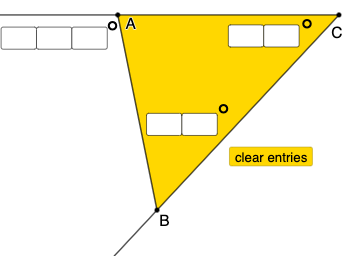
This example demonstrates how to use GeoGebra to draw geometric figures related to vectors and circles. Key mathematical concepts include vectors, circles, angles, and coordinate geometry. By using commands like TextField, Intersect, Point, Line, etc., users can dynamically construct and observe these geometric elements. Suitable for high school mathematics education and learning.
GeoGebra Commands & Parameters
Textfield(a) → InputBox1Textfield(b) → InputBox2Textfield(c) → InputBox3Textfield(d) → InputBox4Textfield(f) → InputBox5Textfield(g) → InputBox6Textfield(h) → InputBox7Intersect(xAxis, yAxis) → APoint(xAxis) → CLine(A, C) → iRay(C, A) → jRay(C, B) → kSegment(B, A) → lRay(D, E) → mRotate(E, (((10 * d) + f) * π / 180), D) → E'Ray(D, E') → nAngle(E, D, E') → αPoint(n) → FRotate(D, (((10 * g) + h) * π / 180), F) → D'Ray(F, D') → pAngle(D, F, D') → βIntersect(m, p) → GRotate(F, ((-((100 * a) + (10 * b) + c)) * π / 180), G) → F'Ray(G, F') → qSegment(F, G) → rAngle(F', G, F) → γPolygon(F, D, G) → t1, g_1, f_1, d_1Polygon(A, B, C) → t2, b_1, a_1, c_1Mode(l1) → l2
AI Drawing Prompt Reference
Draw a geometry figure in a coordinate plane: start with several angle-related inputs and use the intersection of the x- and y-axes as a base point. Mark the needed points on the axes, then construct a line and two rays from the base configuration, forming one segment between key points. Introduce another initial point pair and rotate one ray around its pivot by a given angle to create a new ray and the corresponding angle at the pivot. From the intersection of this rotated ray with another ray, rotate a point or ray again by an angle derived from the inputs, then take the next rays and segment formed by the new intersection. Use the resulting key points to form two polygons sharing the main structure, and display the constructed angles and polygon regions.
The prompt above was compiled from the original drawing commands and is for reference only.