
Unit Circle and Square Dynamic Transformation with Derivative
Loading the math board and drawing, please wait…
In collections
Thin Slice: Special Triangle Theorems (2)
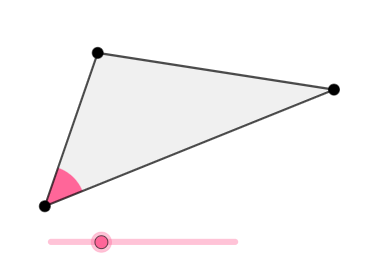
This GeoGebra example dynamically explores the relationship between a unit circle and a square under rotation and scaling (dilation) transformations. It demonstrates symmetry, geometric transformations, and the geometric interpretation of derivatives. Constructed using Rotate, Ray, Point, Segment, Circle, Intersect, Polygon, and CircleSector commands, the model builds points, lines, circles, polygons, and sectors to illustrate how transformations affect shape properties. It is suitable for high school geometry units or calculus introductions, helping students visualize how transformations influence figures and understand the geometric meaning of derivatives.
GeoGebra Commands & Parameters
Rotate(B, (a * pi / 180), A) → B'Ray(A, B') → fPoint(f) → CSegment(B, A) → gSegment(C, A) → hSegment(C, B) → iCircle(A, (0.25 * Min[{g, h, i}])) → cIntersect(c, g, 1) → DIntersect(c, h, 1) → EPolygon(A, B, C) → t1, c_1, a_1, bCircleSector(A, D, E) → d
AI Drawing Prompt Reference
Draw a unit circle and a square, and dynamically show their relationship through rotation and scaling transformations. First, rotate point B around point A by an angle of a degrees to get point B'. Then, draw a ray f starting from A and passing through B'. Take a point C on ray f. Next, draw three line segments g, h, and i connecting A to B, A to C, and C to B, respectively. With A as the center, draw a circle c with a radius of one-fourth the length of the shortest of g, h, and i. Circle c intersects line segments g and h at points D and E, respectively. Finally, draw a sector d from A to D and E, and draw a square t1.
The prompt above was compiled from the original drawing commands and is for reference only.