
Understanding Transformations by Multiplying Complex Numbers
Loading the math board and drawing, please wait…
In collections
Modeling with Complex Numbers
Modeling with Complex Numbers
Modeling with Complex Numbers
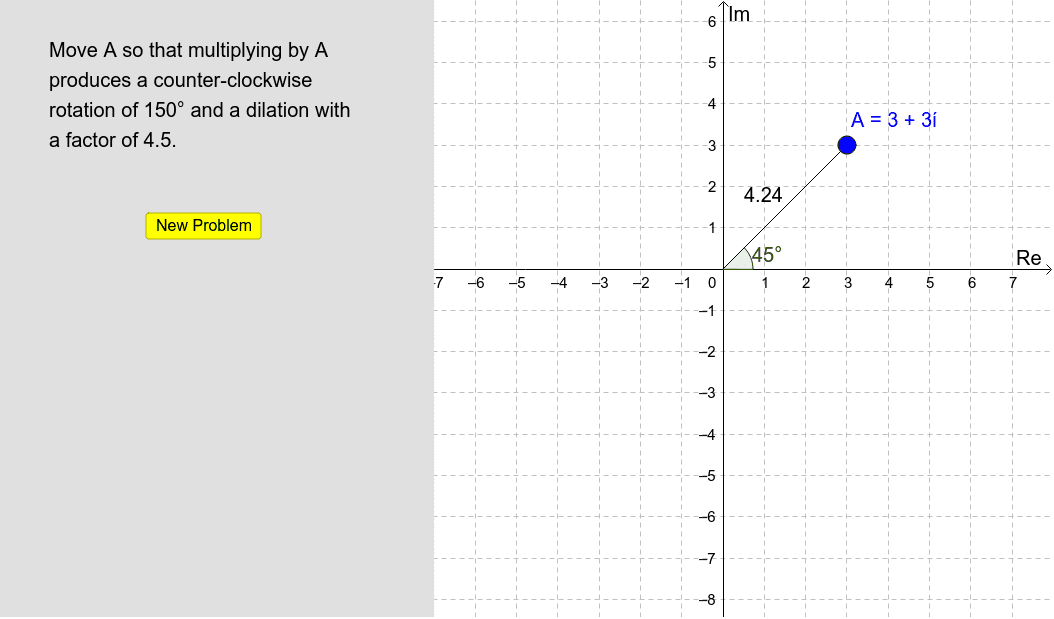
This example demonstrates how multiplication by a complex number transforms geometric figures. It involves core math concepts like complex number operations, geometric transformations, and coordinate systems. Constructed using commands such as Segment, Angle, RandomElement, and Polygon in GeoGebra, it is suitable for high school students or math enthusiasts to grasp the geometric meaning and transformation properties of complex multiplication.
GeoGebra Commands & Parameters
Segment((0, 0), A) → aAngle(xAxis, a) → αRandomElement(Sequence[a, a, 3, 6, 0.25]) → ddilationRandomElement(Sequence[a, a, 15*°, 345*°, 15*°]) → aangleSegment(A, z_1) → bPolygon((-7, -100), (-7, 100), (-100, 100), (-100, -100)) → poly1, c, d, e, f
AI Drawing Prompt Reference
Draw a line segment from the origin to point A, then measure the angle between the x-axis and the segment, labeled α. Randomly select a scaling factor between 3 and 6 with a step of 0.25, and an angle between 15° and 345° with a step of 15°. Next, draw a line segment from point A to point z_1, and construct a quadrilateral with vertices at (-7, -100), (-7, 100), (-100, 100), and (-100, -100).
The prompt above was compiled from the original drawing commands and is for reference only.