
Trisecting the Cube into 3 Pyramids
Loading the math board and drawing, please wait…
In collections
Area, Surface Area, Volume, Cross Section, 3D
GCSE Higher Ch7 Area and Volume
Geometry: Surface Area & Volume
Geometry: Surface Area & Volume
Geometry: Surface Area & Volume
GA Chapter 11: Surface Area and Volume
Volumes and Surface Areas of Pyramids, Cones and Spheres
More about Volumes and Surface Areas
Volumes and Surface Areas of Pyramids, Cones and Spheres
Volumes and Surface Areas of Pyramids, Cones and Spheres
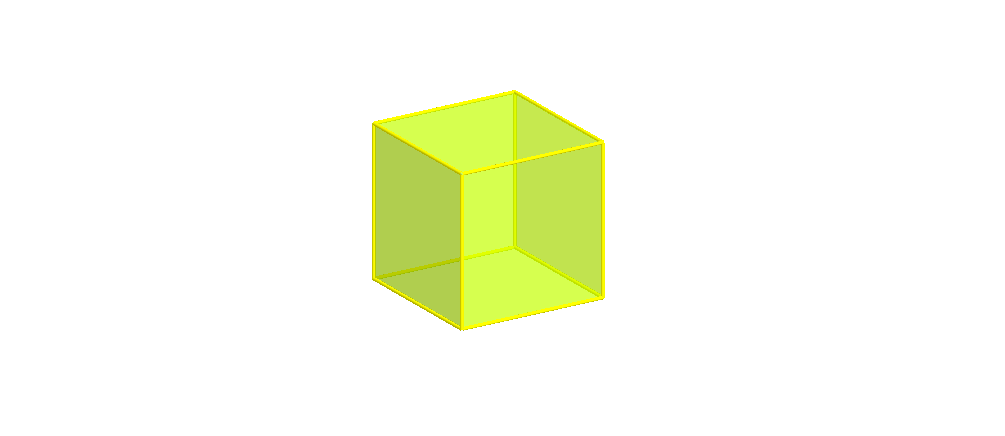
This example demonstrates how to trisect a cube into three pyramids. It involves core mathematical concepts such as solid geometry, geometric construction, and spatial partitioning. Key GeoGebra commands used include cube construction, pyramid construction, rotation, midpoint, orthogonal line, and segment. Suitable for high school and above students to explore spatial geometry problems.
GeoGebra Commands & Parameters
If(t < 0.5, (2 * t), 1) → t1Cube(A, B, xOyPlane) → a, C, faceBCGF, faceCDHG, faceEFGH, edgeAD, edgeAB, edgeBC, edgeCD, edgeAE, edgeDH_1, edgeEH_1, D, edgeEF, edgeBF, edgeFG, edgeCG, edgeGH_1, E, F, G, H, faceABCD, faceADHE, faceABFEPyramid(faceABCD, H) → b, faceADH, faceABH_1, faceBCH_1, faceCDH, edgeDH, edgeAH_1, edgeBH_1, edgeCH_1Pyramid(faceBCGF, H) → c, faceBCH, faceBFH_1, faceFGH, faceCGH, edgeCH, edgeBH_2, edgeFH_1, edgeGHPyramid(faceABFE, H) → d, faceABH, faceAEH, faceEFH, faceBFH, edgeBH, edgeAH, edgeEH, edgeFHRotate(E, (90° * t1), edgeAB) → E'Midpoint(E', B) → IOrthogonalLine(I, Polygon[A, I, B]) → eRotate(G, (90° * t1), edgeBC) → G'Midpoint(B, G') → JOrthogonalLine(J, Polygon[B, C, G']) → fRotate(Pyramid[faceABCD, H], 0*°, edgeDH) → b'If(t ≥ 0.5, (2 * (t - 0.5)), 0) → t2Rotate(Rotate[c, (90° * t1), edgeBC], (-((90° * t2))), f) → c'Rotate(Rotate[d, (90° * t1), edgeAB], (((-90))° * t2), e) → d'Segment(A, B) → gSegment(B, C) → hSegment(C, D) → iSegment(D, A) → jSegment(A, E) → kSegment(B, F) → lSegment(C, G) → mSegment(D, H) → nSegment(E, F) → pSegment(F, G) → qSegment(G, H) → rSegment(H, E) → s
AI Drawing Prompt Reference
Draw a cube and trisect it into three pyramids. Start by constructing the three faces of the cube, then create a pyramid with one face as the base and the apex above the cube's diagonal. Next, construct pyramids on the other two faces and rotate one of the bases so it aligns parallel to one edge of the cube. Finally, connect the vertices and edges to display the three pyramids' partitioning.
The prompt above was compiled from the original drawing commands and is for reference only.