
Trigonometric Function Values at 60 Degrees
Loading the math board and drawing, please wait…
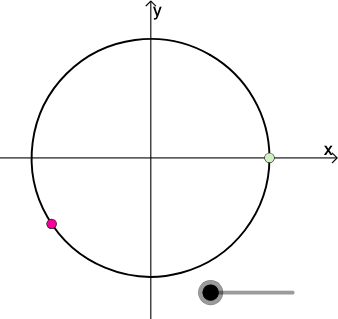
This example dynamically illustrates the trigonometric function values at 60 degrees, including sine and cosine. Using GeoGebra commands such as rotation, intersection, and midpoint, students can visually understand the definitions and properties of trigonometric functions. Suitable for middle school and above students learning trigonometry.
GeoGebra Commands & Parameters
Center(c) → ARotate(B, pi / 3, A) → B'_1Intersect(h, i) → CMidpoint(A, B'_1) → JAngle(B, A, B'_1) → βRotate(B, pi / 4, A) → B'_2Angle(B, A, B'_2) → γIntersect(g, i) → DPolygon(A, D, B'_2) → poly2, b'_2, a_2, dPolygon(A, C, B'_1) → poly3, b'_1, a_3, c_1Dilate(A, If[0 < a ≤ 1, 1 - a, 0], J) → A'_1Segment(A, A'_1) → kDilate(J, If[1 < a ≤ 2, 2 - a, 0], B'_1) → F'CircleArc(A, B'_1, B) → pPoint(p) → ISegment(A, I) → sTextfield(r) → InputBox1Dilate(A, If[0 < a ≤ 1, 1 - a, 0], I) → A'_2Segment(A, A'_2) → tSegment(J, F') → mMidpoint(C, B'_1) → KDilate(C, If[0 < a ≤ 1, 1 - a, 0], K) → C'Dilate(K, If[1 < a ≤ 2, 2 - a, 0], B'_1) → K'Segment(C, C') → jSegment(K, K') → lAngle(B'_1, C, A) → αDilate(A, If[2 < a ≤ 3, 3 - a, 0], C) → A'Segment(A, A') → nRotate(A, If[3.5 < a ≤ 4.5, ((a - 3.5) * pi / 3), pi / 3], A) → A'_3Rotate(A', If[3.5 < a ≤ 4.5, ((a - 3.5) * pi / 3), pi / 3], A) → A''Segment(A'_3, A'') → n'Rotate(A'_3, If[4.5 < a ≤ 5.5, ((a - 4.5) * pi), pi], J) → FRotate(A'', If[4.5 < a ≤ 5.5, ((a - 4.5) * pi), pi], J) → A'''Segment(F, A''') → n''CircleArc(A, B, B'_1) → q
AI Drawing Prompt Reference
Draw a trigonometric function value diagram at 60 degrees, including sine and cosine. Start by drawing points A and B, then rotate B around A by 60 degrees to get B'1. Find the intersection of lines h and i to get point C, and calculate the angle β between B, A, and B'1. Rotate B around A by 45 degrees to get B'2, and calculate the angle γ between B, A, and B'2. Draw polygons A-D-B'2 and A-C-B'1, then use the midpoint J of A and B'1 to construct several line segments and arcs related to A and B'1, ultimately forming a series of angles and line segments to illustrate sine and cosine values.
The prompt above was compiled from the original drawing commands and is for reference only.