
Triangle with Given Area
Loading the math board and drawing, please wait…
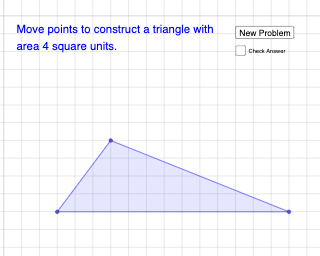
① This example demonstrates how to dynamically construct a triangle with a fixed given area in GeoGebra, using random elements and button interactions to generate different shapes while keeping the area constant. ② The core mathematical concept is the triangle area formula (base × height / 2) and the invariance of area under geometric variation, involving random experiments and function graph visualization. ③ Construction details: Sequence generates point lists, Polygon builds the triangle, RandomElement selects random vertices, If controls the area condition, a button (button1) triggers random updates, text objects (text1, text2) display the area value, and sliders/parameters (a, b, d, c, e) adjust the base and height. ④ Suitable for middle school geometry teaching, to intuitively understand the area formula, random experiments, and dynamic geometric interaction, and to explore multiple forms of equal-area triangles.
GeoGebra Commands & Parameters
Sequence((2 * i), i, 1, 15, 1) → l1, {2, 4, 6, 8, 10, 12, 14, 16, 18, 20, 22, 24, 26, 28, 30}Polygon(A, B, C) → t1, c, a, bRandomElement(l1) → dIf(t1 ≟ d, "Correct", "No. Try again!") → text2
AI Drawing Prompt Reference
Draw a triangle with a fixed area, changing its shape by randomly selecting one of its vertices from a sequence of even numbers. Ensure the area remains 20. When the randomly selected vertex matches one of the triangle's vertices, display 'Correct', otherwise display 'No. Try again!'.
The prompt above was compiled from the original drawing commands and is for reference only.