
Triangle Median Line and Circle Arc Construction
Loading the math board and drawing, please wait…
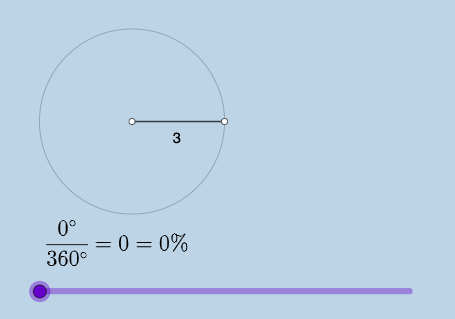
This example demonstrates how to construct triangle median lines and related circular elements using GeoGebra. The core mathematical concepts include properties of triangle median lines, drawing circle arcs and sectors, and geometric rotation with angle measurement. Construction points: Use Point command to define key points A, B, etc., use Segment to draw line segments forming triangles, use Ray to draw rays for direction, apply Rotate command for rotation, use Circle, CircleArc, CircleSector to draw circles, arcs and sectors respectively, and calculate area and circumference of circular regions with Area and Circumference commands. Text input boxes and fraction text are used for dynamic numerical display. This example is suitable for middle school geometry teaching, helping students understand median lines and circle properties, serving as a practical case for comprehensive applications of geometric transformations and circles.
GeoGebra Commands & Parameters
Point(yAxis) → ARay(A, (1, 0)) → hPoint(h) → BCircle(A, B) → cSegment(A, B) → fRotate(B, (a * pi / 180), A) → B'Angle(B, A, B') → αCircleArc(A, B, B') → dSegment(A, B') → gCircleSector(A, B, B') → eTextfield(a) → InputBox1Area(c) → lCircumference(c) → mTextfield(n) → InputBox2FractionText(a / 360) → text8
AI Drawing Prompt Reference
Draw a triangle and its median lines. Construct a triangle using points A and B as vertices. Draw median lines from vertices to the midpoints of opposite sides. Add a circle with center at point A and radius equal to the distance from B to A. Draw arcs and sectors on the circle and calculate the area and circumference. Use angles and rotations to demonstrate geometric transformations. Ensure the drawing is clear and suitable for geometry teaching.
The prompt above was compiled from the original drawing commands and is for reference only.