
Comprehensive Geometric Construction: Triangles, Circles, and Transformations
Loading the math board and drawing, please wait…
In collections
Special Right Triangle (1): Thinking Classroom Exploration
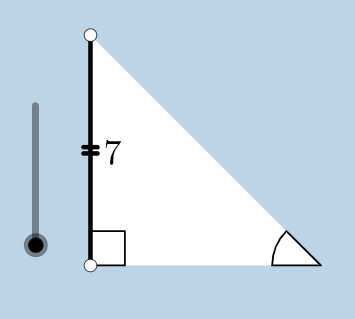
This example demonstrates a complex geometric construction involving multiple objects and transformations, including triangles, circles, segments, angles, polygons, and operations such as rotation, translation, and dilation. The core mathematical concepts include isosceles triangles, right triangles, properties of triangles, circles and arcs, angle measurement, vector translation, similarity transformations, and fundamental geometric construction methods. The construction uses GeoGebra commands such as Circle, Segment, OrthogonalLine, Rotate, Angle, Ray, Intersect, Polygon, Line, Point, Dilate, CircleSector, Vector, and Translate, creating numerous points (e.g., A, B, C, D, E) and objects (e.g., poly1, a_1, b_1). This is suitable for high school or early college geometry courses, helping students practice combining geometric transformations and construction tools to understand relationships between figures.
GeoGebra Commands & Parameters
Circle(B, C) → cSegment(B, C) → aOrthogonalLine(C, a) → bRotate(C, 45°, B) → C'Angle(C, B, C') → αRay(B, C') → dIntersect(b, d) → ASegment(A, C) → eSegment(B, A) → fPolygon(B, C, A) → poly1, a_1, b_1, c_1Line(B, C) → hPoint(h) → DPoint(h) → ERay(C, E) → iPoint(i) → FRay(C, F) → jDilate(B, If[0 < g ≤ 1, 1 - g, 0], C) → B'Segment(B, B') → kDilate(C, If[1 < g ≤ 2, 2 - g, 0], A) → C'_1Segment(C, C'_1) → lCircle(C, (0.2 * a)) → pIntersect(p, j, 1) → GIntersect(p, e, 1) → HIntersect(p, a, 1) → ICircle(A, (0.2 * a)) → qIntersect(q, e, 1) → JIntersect(q, f, 1) → KCircleSector(C, H, I) → sDilate(A, If[2 < g ≤ 3, 3 - g, 0], B) → A'Segment(A, A') → mCircleSector(A, K, J) → tRotate(s, If[3.5 < g ≤ 4.5, ((-(g - 3.5)) * pi / 2), -1.5707963267948966], C) → s'Dilate(A, If[5.5 < g ≤ 6.5, 6.5 - g, 0], B) → A'_1Vector(A, A'_1) → uTranslate(t, u) → t'Rotate(B, If[16 < g ≤ 17, ((-(g - 16)) * pi / 2), ((-pi)) / 2], C) → B'_1Rotate(B', If[4.5 < g ≤ 5.5, ((-(g - 4.5)) * pi / 2), -1.5707963267948966], C) → B''Segment(B'_1, B'') → k'Rotate(t', If[6.5 < g ≤ 7.5, (((-(g - 6.5)) * 5) * pi / 4), -3.92699], B) → t''Dilate(A, If[7.5 < g ≤ 8.5, 8.5 - g, 0], C) → A'_2Vector(A, A'_2) → vTranslate(t, v) → t'_1Rotate(t'_1, If[8.5 < g ≤ 9.5, (((-(g - 8.5)) * 3) * pi / 4), -2.356194490192345], C) → d_1Dilate(A, If[9.5 < g ≤ 10.5, 10.5 - g, 0], C) → A'_3Vector(A, A'_3) → wTranslate(t, w) → t'_2Rotate(t'_2, If[10.5 < g ≤ 11.5, ((-(g - 10.5)) * pi / 2), -1.5707963267948966], C) → e_1Angle(C, B, B'_1) → γAngle(B, C'_1, C) → βAngle(C'_1, C, B) → δCircle(B, (0.2 * a)) → r
AI Drawing Prompt Reference
Draw a complex geometric figure containing multiple objects. First, draw points B and C, and create a circle and a segment connecting them. Then, draw a line perpendicular to segment BC, and intersect it with a ray to get point A. Rotate point C and B to get point C', and measure angle α. Draw ray BD and line BC extended, intersecting the perpendicular line to get point D. Draw segment AB and BC to form triangle ABC. Draw polygon B, C, A, and line BC to get line h, then take points D and E on h. Draw rays CE and CF, and dilate to get points F and B'. Draw circles and arcs, intersecting with segments and rays to get points G, H, I, J, K. Draw circle sectors and perform rotations, dilations, vector translations, and rotations to get points s', t', d_1, e_1. Finally, measure angle γ. The figure includes triangles, circles, segments, angles, arcs, rotations, dilations, vector translations, and transformations, with a construction order starting from basic points and gradually adding objects and relationships.
The prompt above was compiled from the original drawing commands and is for reference only.