
Triangle Construction by Taylor Rish
Loading the math board and drawing, please wait…
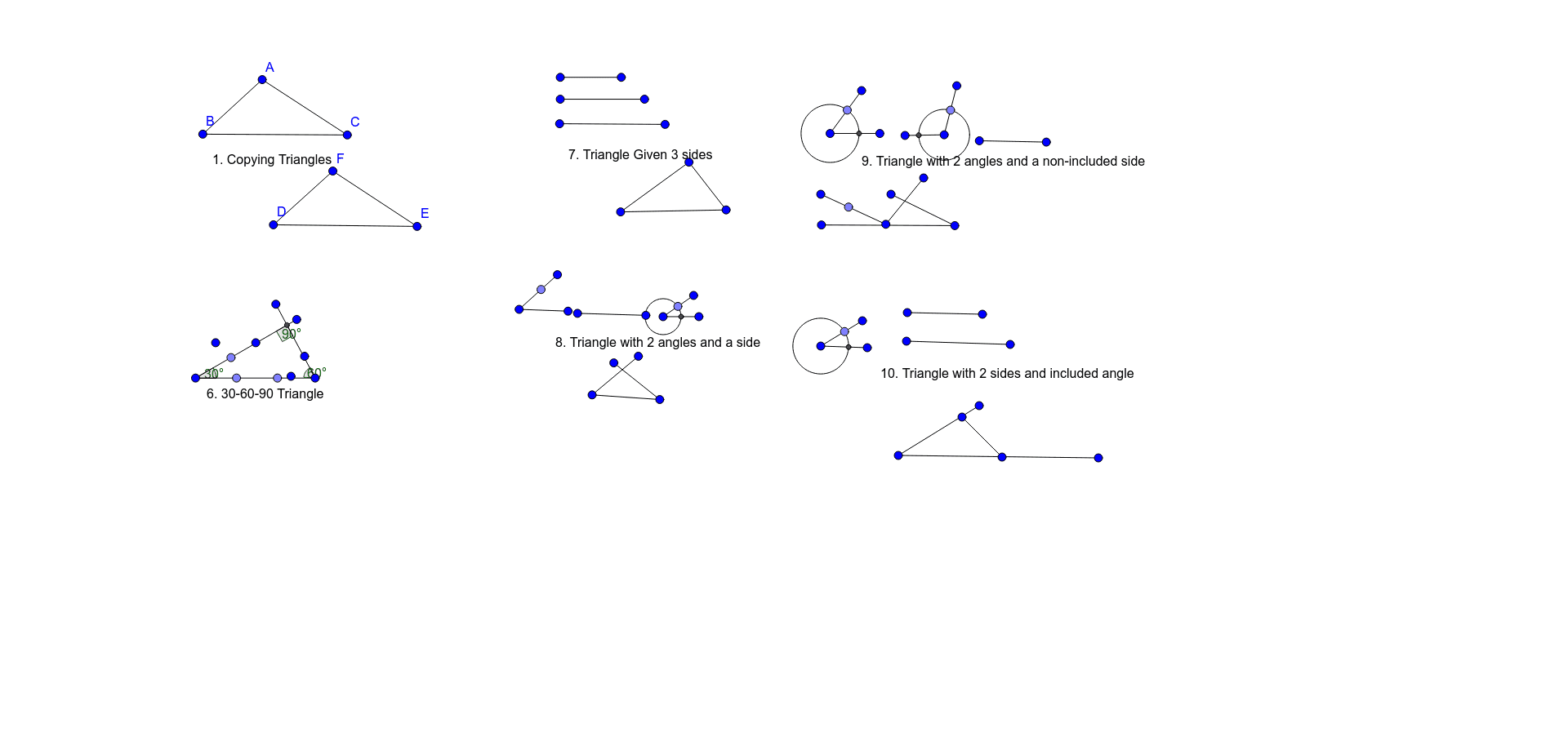
This example demonstrates how to construct a triangle using GeoGebra. Key mathematical concepts include the properties of triangles and geometric construction. Commands used include Segment, Point, Intersect, Rotate, Angle, and Circle. Suitable for middle school and above students learning geometric construction.
GeoGebra Commands & Parameters
Segment(A, B) → fSegment(A, C) → gSegment(B, C) → hSegment(D, F) → iSegment(F, E) → jSegment(E, D) → kSegment(G, H) → lPoint(l) → IPoint(l) → LSegment(G, N) → mSegment(H, O) → nIntersect(m, n) → PRotate(K, 90°, P) → K'Angle(K, P, K') → αRotate(I, 30°, G) → I'Angle(I, G, I') → βRotate(K', 60°, H) → K''Angle(K', H, K'') → γSegment(M, Q) → pSegment(R, S) → qSegment(T, U) → rSegment(Z, W) → sSegment(W, V) → tSegment(Z, V) → aSegment(A_1, B_1) → bSegment(B_1, C_1) → cSegment(D_1, E_1) → dSegment(F_1, G_1) → eSegment(G_1, H_1) → f_1Segment(I_1, J_1) → g_1Point(b) → K_1Segment(I_1, N_1) → i_1Point(f_1) → L_1Circle(G_1, Segment[G_1, L_1]) → d_1Intersect(d_1, e, 1) → M_1Segment(J_1, Q_1) → h_1Segment(O_1, P_1) → j_1Segment(P_1, R_1) → k_1Segment(S_1, T_1) → l_1Segment(T_1, U_1) → m_1Segment(V_1, W_1) → n_1Point(j_1) → B_2Segment(C_2, A_2) → p_1Circle(P_1, Segment[B_2, P_1]) → q_1Intersect(q_1, k_1, 1) → D_2Segment(Z_1, F_2) → s_1Point(l_1) → E_2Circle(T_1, Segment[E_2, T_1]) → e_1Intersect(e_1, m_1, 1) → G_2Segment(Z_1, I_2) → t_1Point(t_1) → H_2Segment(A_2, L_2) → a_1Segment(J_2, K_2) → r_1Segment(M_2, N_2) → b_1Segment(O_2, P_2) → c_1Segment(P_2, Q_2) → f_2Segment(R_2, S_2) → g_2Point(c_1) → U_2Circle(P_2, Segment[P_2, U_2]) → e_2Intersect(e_2, f_2, 1) → V_2Segment(R_2, Z_2) → i_2Segment(A_3, T_2) → h_2