
Triangle Construction Example
Loading the math board and drawing, please wait…
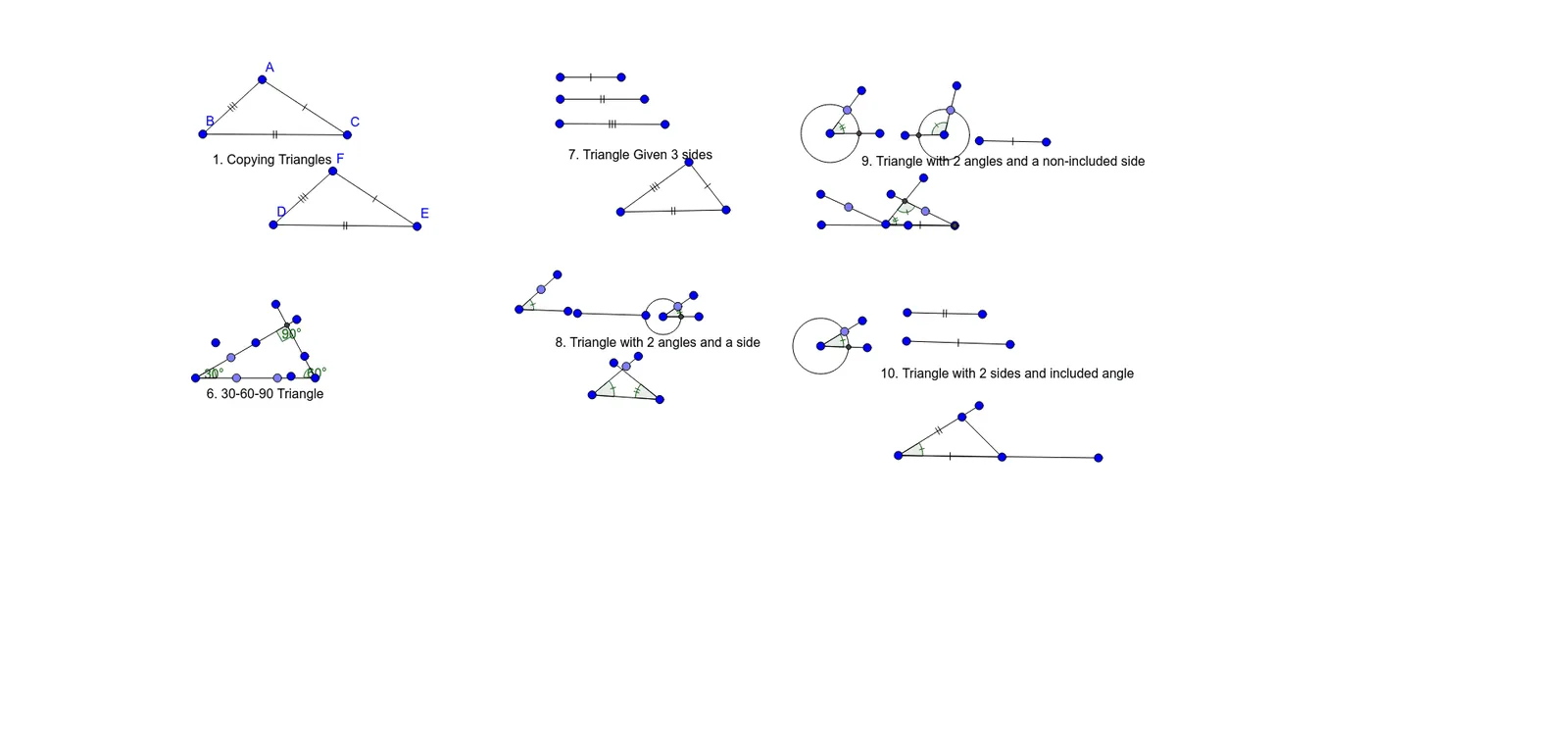
This example demonstrates how to construct triangles and their related elements using GeoGebra commands. It involves core mathematical concepts such as geometric constructions, angle measurement, intersection calculations, rotations, and circle constructions. Key GeoGebra commands used include Segment, Point, Intersect, Rotate, Angle, and Circle to create points, segments, intersections, rotate triangles, measure angles, and draw circles. Suitable for high school mathematics teaching to illustrate geometric construction techniques and properties of triangles.
GeoGebra Commands & Parameters
Segment(A, B) → fSegment(A, C) → gSegment(B, C) → hSegment(D, F) → iSegment(F, E) → jSegment(E, D) → kSegment(G, H) → lPoint(l) → IPoint(l) → LSegment(G, N) → mSegment(H, O) → nIntersect(m, n) → PRotate(K, 90°, P) → K'Angle(K, P, K') → αRotate(I, 30°, G) → I'Angle(I, G, I') → βRotate(K', 60°, H) → K''Angle(K', H, K'') → γSegment(M, Q) → pSegment(R, S) → qSegment(T, U) → rSegment(Z, W) → sSegment(W, V) → tSegment(Z, V) → aSegment(A_1, B_1) → bSegment(B_1, C_1) → cSegment(D_1, E_1) → dSegment(F_1, G_1) → eSegment(G_1, H_1) → f_1Segment(I_1, J_1) → g_1Point(b) → K_1Segment(I_1, N_1) → i_1Point(f_1) → L_1Circle(G_1, Segment[G_1, L_1]) → d_1Intersect(d_1, e, 1) → M_1Segment(J_1, Q_1) → h_1Segment(O_1, P_1) → j_1Segment(P_1, R_1) → k_1Segment(S_1, T_1) → l_1Segment(T_1, U_1) → m_1Segment(V_1, W_1) → n_1Point(j_1) → B_2Segment(C_2, A_2) → p_1Circle(P_1, Segment[B_2, P_1]) → q_1Intersect(q_1, k_1, 1) → D_2Segment(Z_1, F_2) → s_1Point(l_1) → E_2Circle(T_1, Segment[E_2, T_1]) → e_1Intersect(e_1, m_1, 1) → G_2Segment(Z_1, I_2) → t_1Point(t_1) → H_2Segment(A_2, L_2) → a_1Segment(J_2, K_2) → r_1Segment(M_2, N_2) → b_1Segment(O_2, P_2) → c_1Segment(P_2, Q_2) → f_2Segment(R_2, S_2) → g_2Point(c_1) → U_2Circle(P_2, Segment[P_2, U_2]) → e_2Intersect(e_2, f_2, 1) → V_2Segment(R_2, Z_2) → i_2Segment(A_3, T_2) → h_2Angle(C_1, B_1, K_1) → δPoint(i_1) → W_2Angle(J_1, I_1, W_2) → εAngle(Q_1, J_1, I_1) → ζAngle(F_1, G_1, H_1) → ηSegment(R_2, T_2) → j_2Angle(Q_2, P_2, O_2) → θAngle(T_2, R_2, A_3) → ιIntersect(s_1, a_1) → B_3Segment(Z_1, A_2) → k_2Point(a_1) → C_3Angle(Z_1, B_3, C_3) → κAngle(E_2, T_1, U_1) → λIntersect(p_1, k_2) → D_3Intersect(p_1, k_2) → E_3Intersect(p_1, k_2) → F_3Intersect(p_1, k_2) → G_3Angle(H_3, Z_1, F_2) → μAngle(D_2, P_1, B_2) → ν
AI Drawing Prompt Reference
Draw a triangle and display its related elements. First, draw the three sides of the triangle, then measure and label the three interior angles. Next, rotate the triangle 90 degrees around one vertex and measure the angle of the rotated triangle. Then, rotate the triangle 30 degrees around another vertex and measure the angle of the rotated triangle. Finally, rotate the triangle 60 degrees around the third vertex and measure the angle of the rotated triangle. Also, draw circles related to the triangle and label the intersection points.
The prompt above was compiled from the original drawing commands and is for reference only.