
Triangle Area and Perimeter with Fixed Area Constraint
Loading the math board and drawing, please wait…
In collections
Mathematics Form 1
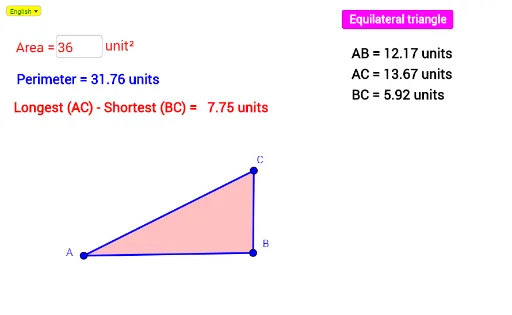
This interactive GeoGebra example demonstrates the relationship between triangle area and perimeter under a fixed area constraint. Key mathematical concepts include triangle area formulas, perimeter calculation, and geometric optimization principles. The construction utilizes commands like Polygon, Distance, Point, If, and Textfield to create dynamic coordinates and real-time value displays. It is designed for high school geometry students or math competition participants to visualize isoperimetric properties and understand how shape affects perimeter when area is constant.
GeoGebra Commands & Parameters
Distance(A, B) → ABLineBisector(A, B) → gLine(A, B) → lIntersect(l, g) → ECircle(E, VerDis) → eTextfield(LSet) → InputBox1Segment(A, B) → jIntersect(e, g) → D, FLine(F, l) → hPoint(h) → HIf(Distance[H, F] < 0.2, F, H) → IDynamicCoordinates(H, x(I), y(I)) → CSegment(A, C) → iSegment(C, B) → kPolygon(C, A, B) → poly1, b, c, aDistance(A, C) → ACDistance(B, C) → BCCircle(A, EquiL) → fIntersect(f, l) → G, JAngle(B, A, C) → γAngle(C, B, A) → δElement(ListTPanj, IndexOf[Max[ListPanj], ListPanj]) → MaxTextElement(ListTPanj, IndexOf[Min[ListPanj], ListPanj]) → MinTextSelectedIndex(Bahasa) → nnIf(nn ≟ 1, " units", " unit") → UTexIf(nn ≟ 1, "Longest", "Terpanjang") → Tex1If(nn ≟ 1, "Shortest", "Terpendek") → Tex2