
Trapezium Area Demonstration by Mark Dabbs
Loading the math board and drawing, please wait…
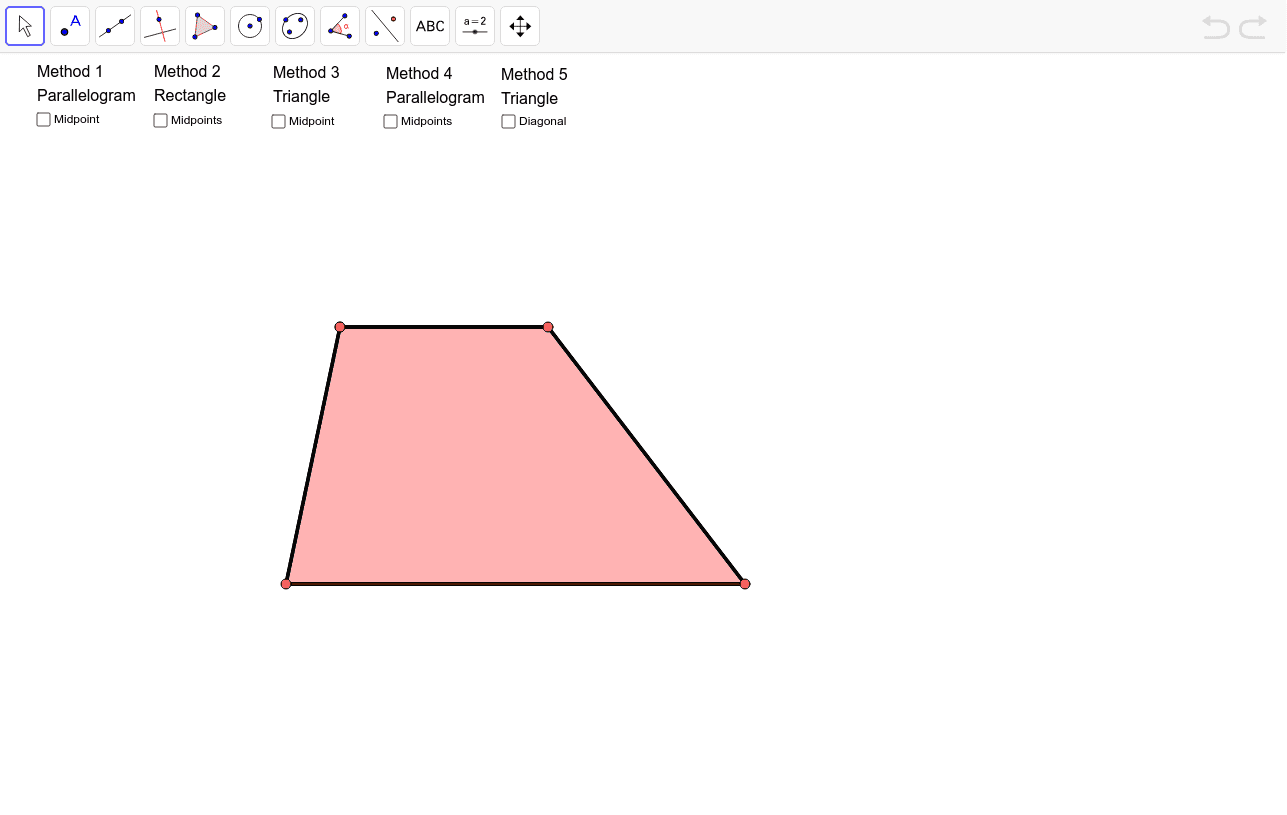
This example demonstrates the calculation of the area of a trapezium, involving geometric construction, area formulas, and transformations. It uses GeoGebra commands such as OrthogonalLine, Point, Line, Segment, Midpoint, Polygon, Rotate, Intersect, and If. The construction involves rotating and intersecting objects to visualize the trapezium. Suitable for middle or high school mathematics education to understand the derivation and application of the trapezium area formula.
GeoGebra Commands & Parameters
OrthogonalLine(A, a) → bPoint(b) → BLine(C, b) → cPoint(c) → DSegment(C, A) → dSegment(B, D) → fSegment(A, B) → gSegment(C, D) → hMidpoint(f) → EPolygon(A, B, D, C) → poly1, a_1, b_1, d_1, c_1Rotate(A, Rotate, E) → A'Rotate(B, Rotate, E) → B'Rotate(D, Rotate, E) → D'Rotate(C, Rotate, E) → C'Polygon(A', B', D', C') → poly1', a', b', d', c'Midpoint(C, A) → FMidpoint(B, D) → GOrthogonalLine(F, h) → jOrthogonalLine(G, h) → kIntersect(k, h) → HIntersect(j, h) → IIntersect(k, g) → JIntersect(j, g) → KLine(C, D) → lLine(A, B) → mIntersect(j, l) → LIntersect(k, m) → MIntersect(j, m) → NIntersect(k, l) → OPoint(k) → PPolygon(P, O, D) → poly2, d_2, p, oPoint(j) → QPolygon(N, Q, A) → poly3, a_2, n, qPolygon(B, P, M) → poly4, m_1, b_2, p_1Polygon(Q, L, C) → poly5, c_2, q_1, l_1Rotate(P, α, G) → P'Rotate(O, α, G) → O'Rotate(D, α, G) → D'_1Polygon(P', O', D'_1) → poly2', d'_1, p', o'Rotate(N, α, F) → N'Rotate(Q, α, F) → Q'Rotate(A, α, F) → A'_1Polygon(N', Q', A'_1) → poly3', a'_1, n', q'Rotate(B, (-α), G) → B'_1Rotate(P, (-α), G) → P'_1Rotate(M, (-α), G) → M'Polygon(B'_1, P'_1, M') → poly4', m', b'_1, p'_1Rotate(Q, (-α), F) → Q'_1Rotate(L, (-α), F) → L'Rotate(C, (-α), F) → C'_1Polygon(Q'_1, L', C'_1) → poly5', c'_1, q'_1, l'If(x(A) > x(C), If[x(B) < x(D), Polygon[A, B, G, O, L, F], Polygon[A, M, G, D, L, F]], If[x(B) < x(D), Polygon[N, B, G, O, C, F], Polygon[N, M, G, D, C, F]]) → polyHexIf(x(A) > x(C), If[x(B) < x(D), Polygon[A, B, G, O, L, F], Polygon[A, M, G, D, L, F]], If[x(B) < x(D), Polygon[N, B, G, O, C, F], Polygon[N, M, G, D, C, F]]) → polyHexBorderMidpoint(B, D) → RLine(A, R) → sLine(C, D) → tIntersect(t, s) → SPolygon(A, B, R) → poly6, r_1, a_3, b_3Rotate(A, (-β), R) → A'_2Rotate(B, (-β), R) → B'_2Rotate(R, (-β), R) → R'Polygon(A'_2, B'_2, R') → poly6', r', a'_2, b'_2Polygon(A, C, D, R) → poly7, a_4, c_3, d_3, r_2Polygon(A, R, D, C) → poly8, a_5, r_3, d_4, c_4Polygon(A'_2, B'_2, R) → poly9, r_4, a'_3, b'_3Segment(F, G) → e_1Polygon(F, G, B, A) → poly10, f_1, g_1, b_4, a_6Rotate(F, (-γ), G) → F'Rotate(G, (-γ), G) → G'Rotate(B, (-γ), G) → B'_3Rotate(A, (-γ), G) → A'_3Polygon(F', G', B'_3, A'_3) → poly10', f', g', b'_4, a'_4Polygon(C, F, G, D) → poly11, c_5, f_2, g_2, d_5Midpoint(Bt, Dt) → TPolygon(A, D, B) → poly12, b_5, a_7, d_6Rotate(A, (-δ), T) → A'_4Rotate(D, (-δ), T) → D'_2Rotate(B, (-δ), T) → B'_4Polygon(A'_4, D'_2, B'_4) → poly12', b'_5, a'_5, d'_2Segment(A, D) → h_1Segment(A, D) → i_1Polygon(A, C, D) → poly13, d_7, a_8, c_6Segment(Ah, Dh) → j_1OrthogonalLine(Ah, c) → k_1OrthogonalLine(Dh, c) → n_1Point(k_1) → VPoint(n_1) → WOrthogonalLine(V, c) → t_1OrthogonalLine(W, c) → e_2Intersect(t_1, c) → ZIntersect(e_2, c) → A_1Segment(A_1, Z) → s_1
AI Drawing Prompt Reference
Draw a trapezium shape with four vertices A, B, C, and D. Construct perpendicular lines, points, line segments, and midpoints. Then rotate points A, B, C, and D to new positions to form new polygons like poly1'. Construct perpendicular lines and intersect them with original segments to get points H, I, J, K. Use intersection operations to create more polygons such as poly2, poly3, poly4, and poly5. Further rotate points P, O, D to form poly2', and points N, Q, A to form poly3'. Finally, complete the trapezium area verification by combining rotations and intersections.
The prompt above was compiled from the original drawing commands and is for reference only.