
Locus of a Point at a Fixed Distance from a Line Segment
Loading the math board and drawing, please wait…
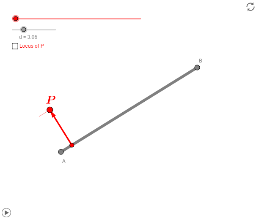
This example demonstrates the locus of a point maintaining a constant distance from a line segment. Key math concepts include line segments, distance, locus, and geometric transformations. It utilizes commands like Dilate, Rotate, Segment, Circle, Intersect, Vector, OrthogonalLine, Translate, and CircleArc from GeoGebra for construction. Suitable for high school students learning analytical geometry and geometric constructions, or for math clubs exploring geometric phenomena.
GeoGebra Commands & Parameters
Dilate(B, Path / Distance[A, B], A) → P_1Rotate(B, 90°, A) → B'Segment(B', A) → gCircle(A, d) → cIntersect(c, g) → C,Vector(A, C) → wSegment(A, B) → aCircle(B, d) → eOrthogonalLine(B, a) → bOrthogonalLine(A, a) → fRotate(A, 90°, B) → A'Vector(A, B') → uVector(B, A') → vSegment(B, A') → hIntersect(e, h) → E,Vector(B, E) → zTranslate(A, z) → FTranslate(B, z) → B'_1Segment(F, B'_1) → a'Translate(A, w) → A'_2Translate(B, w) → DSegment(A'_2, D) → a'_1CircleArc(B, E, D) → kCircleArc(A, C, F) → pTranslate(P_1, w) → GVector(P_1, G) → iRotate(D, (-180° * (Path - Distance[A, B]) / Distance[A, B]), B) → D_θVector(B, D_θ) → jDilate(A, (Path - (2 * Distance[A, B])) / Distance[A, B], B) → P_3Translate(P_3, z) → HVector(P_3, H) → lRotate(F, (-180° * (Path - (3 * Distance[A, B])) / Distance[A, B]), A) → F_θVector(A, F_θ) → mSegment(C, G) → qSegment(C, D) → rCircleArc(B, D_θ, D) → sCircleArc(B, E, D) → tSegment(E, H) → a_1Segment(E, F) → b_1CircleArc(A, F_θ, F) → c_1
AI Drawing Prompt Reference
Describe the trajectory of a point maintaining a fixed distance from a line segment. Draw a line segment AB and construct a circle with center A and radius d. Find the intersection point C of the circle with AB. Then, draw perpendicular lines from A and B to the center, obtaining their feet. Connect these feet with C to form new segments. By translating and rotating these segments, obtain multiple similar segments. Finally, show the intersections of these segments with the circle to form a dynamic trajectory graph.
The prompt above was compiled from the original drawing commands and is for reference only.