
Trapezium Area Calculation by Kathryn Peake
Loading the math board and drawing, please wait…
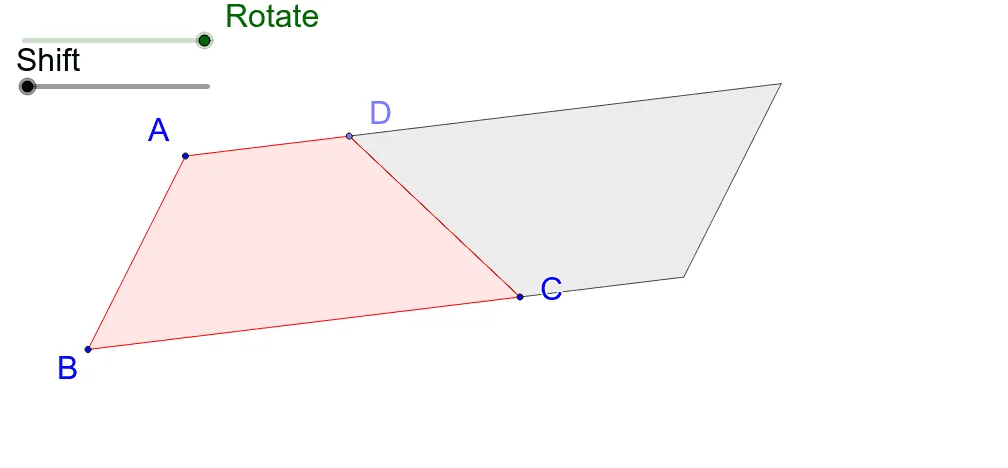
This example demonstrates the calculation of a trapezium's area. Key math concepts include trapezium definition, properties of parallel lines, and triangle area formulas. Construction highlights the use of GeoGebra commands/objects like Line, Point, Polygon, Midpoint, Rotate, OrthogonalLine, Intersect, Circle, Vector, and Translate. Suitable for middle school and above students to learn geometric area calculations, ideal for classroom demonstrations and interactive exploration.
GeoGebra Commands & Parameters
Line(C, B) → bLine(A, b) → cPoint(c) → DPolygon(A, B, C, D) → poly1, a_1, b_1, c_1, dMidpoint(c_1) → ERotate(A, α, E) → A'Rotate(B, α, E) → B'Rotate(C, α, E) → C'Rotate(D, α, E) → D'Polygon(A', B', C', D') → poly1', a', b', c', d'OrthogonalLine(A, b_1) → eIntersect(e, b_1) → FCircle(B, (a * (d + b_1))) → fLine(B, b_1) → gIntersect(f, g) → G, HVector(B, F) → uVector(F, A) → vTranslate(H, u) → H'Vector(H, H') → wTranslate(H', v) → H''Vector(H', H'') → hPolygon(H, H', H'') → poly2, h'', h_1, h'Polygon(A, F, C, D) → poly3, a_2, f_1, c_2, d_1Vector(A, F) → iCircle(A, 0.5) → kIntersect(k, e, 2) → ICircle(F, 0.5) → pIntersect(p, b) → J, KVector(F, H') → jVector(F, A) → lTranslate(K, l) → K'Vector(K, K') → mTranslate(I, j) → I'Vector(I, I') → nVector(A, D) → sTranslate(I, s) → I'_1Vector(I, I'_1) → tLine(B, i) → g_1Circle(B, 0.5) → k_1Intersect(k_1, g_1, 2) → LVector(B, C) → u_1Translate(L, u_1) → L'Vector(L, L') → v_1Vector(I, I'_1) → rVector(F, A) → w_1Vector(K', K) → qVector(K, K') → j_1Vector(L, L') → i_1Vector(L', L) → l_1Vector(I'_1, I) → m_1Vector(I'_1, I') → e_1Vector(I', I'_1) → n_1
AI Drawing Prompt Reference
Draw a trapezoid and demonstrate its area calculation. Start by constructing the trapezoid with its four sides and vertices. Then find the midpoint of one side and rotate the trapezoid around this midpoint to create a similar trapezoid. Use parallel lines and triangle area formulas to geometrically calculate the area of the trapezoid, labeling key points and auxiliary lines, and finally showing the area calculation result.
The prompt above was compiled from the original drawing commands and is for reference only.