
Translational Symmetry
Loading the math board and drawing, please wait…
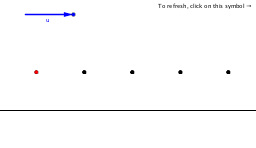
This example demonstrates translational symmetry in geometry by showing how shapes move under vector translation. It involves core concepts like symmetry, vector addition, and geometric transformations. Constructed using GeoGebra commands like Point, Vector, Mod, and Sequence, it is suitable for middle school and above students learning geometric transformations and symmetry.
GeoGebra Commands & Parameters
Point(g) → FVector(A, F) → uMod(x(Corner[1]) - x(D), x(u)) → aMod(x(Corner[2]) - x(D), x(u)) → bSequence(D + (n * u), n, 1, d) → list1Sequence(D + (n * u), n, c, -1) → list2
AI Drawing Prompt Reference
Draw a rectangle and move it along a vector to create a translational symmetry pattern. First, create a rectangle on the plane, then define a vector for the translation. Next, calculate the modulus of the rectangle's boundary points in the direction of the vector, and generate a series of rectangles translated along the vector to form a translational symmetry pattern.
The prompt above was compiled from the original drawing commands and is for reference only.