
Generating a Cone by Rotating a Right Triangle
Loading the math board and drawing, please wait…
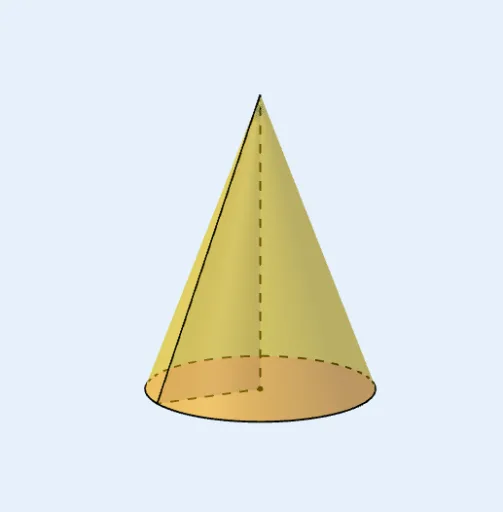
This example demonstrates the geometric generation of a cone by rotating a right triangle around one of its legs. Key mathematical concepts include solid geometry, solids of revolution, and the properties of cones. The construction utilizes GeoGebra commands such as Polygon to define the initial triangle, Rotate for the angular transformation, Surface to render the 3D shape, and Segment along with CurveCartesian for boundary definition. It is ideal for high school geometry students or educators visualizing rotational symmetry and volume generation.
GeoGebra Commands & Parameters
Polygon(A, O, B) → t1, b, a, oRotate(t1, (-t), zAxis) → t1'Surface(((p * x(B)) * cos((-q))), ((p * x(B)) * sin((-q))), ((1 - p) * z(A)), p, 0, 1, q, 0, t) → dRotate(B, (-t), zAxis) → B'Segment(B, A) → fSegment(B', A) → gSegment(O, B') → hSegment(A, O) → iSegment(B, O) → jCurveCartesian((x(B) * cos((-q))), (x(B) * sin((-q))), 0, q, 0, t) → cSurface(((p * x(B)) * cos((-q))), ((p * x(B)) * sin((-q))), 0, p, 0, 1, q, 0, t) → e