
Pyramid Model: Rotating Regular Square Pyramid with Equilateral Triangular Faces
Loading the math board and drawing, please wait…
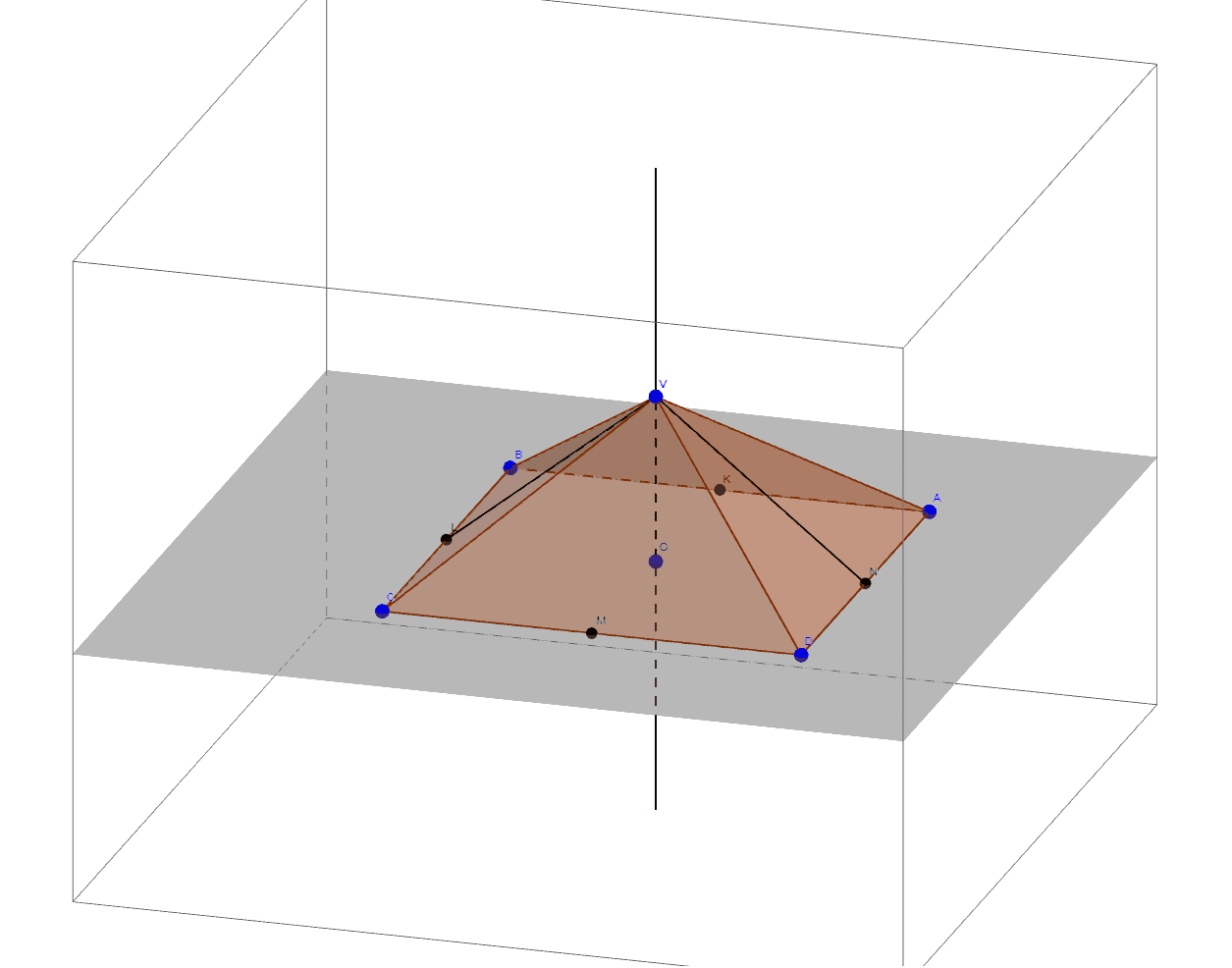
① This example demonstrates a regular square pyramid (pyramid model) in 3D, with rotation around its central axis, showing the square base, equilateral triangular side faces, and auxiliary internal lines. ② Core mathematical concepts include solid geometry of pyramids, regular polygon bases, equilateral triangles, symmetry axes, midpoints and segments, and spatial rotation logic. ③ Construction highlights: using GeoGebra commands Polygon to create the base square, Pyramid to generate the solid, Midpoint to find the center O and edge midpoints, Line and Segment to build the central axis and auxiliary segments; objects include vertices A, B, C, D, V, base poly1, edges a, b, c, d, e, side faces faceABV etc., central axis CentralAxis, and auxiliary points N, K, L, M. ④ Suitable for high school or early college students learning solid geometry, spatial reasoning, and 3D GeoGebra construction, also useful for demonstrating rotational symmetry in mathematical modeling.
GeoGebra Commands & Parameters
Polygon(A, B, C, D) → poly1, a, b, c, dPyramid(poly1, V) → e, faceABV, faceBCV, faceCDV, faceADV, edgeAV, edgeBV, edgeCV, edgeDVMidpoint(A, D) → NMidpoint(A, B) → KMidpoint(B, C) → LMidpoint(C, D) → MLine(O, V) → CentralAxisSegment(L, V) → fSegment(N, V) → g
AI Drawing Prompt Reference
Draw a regular square pyramid with a square base ABCD and four equilateral triangular faces formed by vertex V. Start by drawing the square base ABCD, then rotate around the central axis from the center O of the base to vertex V to generate the pyramid. Next, find the midpoints N, K, L, and M of each side of the base, and connect these midpoints to vertex V to form the triangular faces and central axis of the pyramid.
The prompt above was compiled from the original drawing commands and is for reference only.