
Translating Pictures
Loading the math board and drawing, please wait…
In collections
Learn GeoGebra Classic
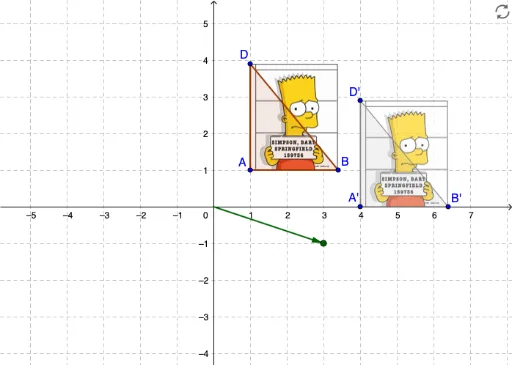
This example demonstrates how to translate a picture using a vector. Key mathematical concepts include vectors and translation. GeoGebra commands used include Point, Polygon, Intersect, Vector, and Translate. Suitable for middle school and above students learning geometric transformations.
GeoGebra Commands & Parameters
Point(Circle[A, 2.400000000000001]) → BPolygon(A, B, D) → poly1, d, a, bIntersect(xAxis, yAxis) → OVector(O, P) → uTranslate(pic1, u) → pic1'Translate(A, u) → A'Translate(B, u) → B'Translate(D, u) → D'Polygon(A', B', D') → poly1', d', a', b'
AI Drawing Prompt Reference
Draw a shape by taking a point on a circle and connecting it to two other points to form a triangle. Find the intersection of the coordinate axes, then draw a vector from the intersection point towards the upper right. Translate the triangle along this vector to create a new triangle. Also translate the three vertices of the original triangle along the same vector and connect them to form a new triangle. Display both the original and translated shapes along with the vector to illustrate geometric transformation.
The prompt above was compiled from the original drawing commands and is for reference only.