
GeoGebra Interactive Geometry Resources: Build Lines from Points
Loading the math board and drawing, please wait…
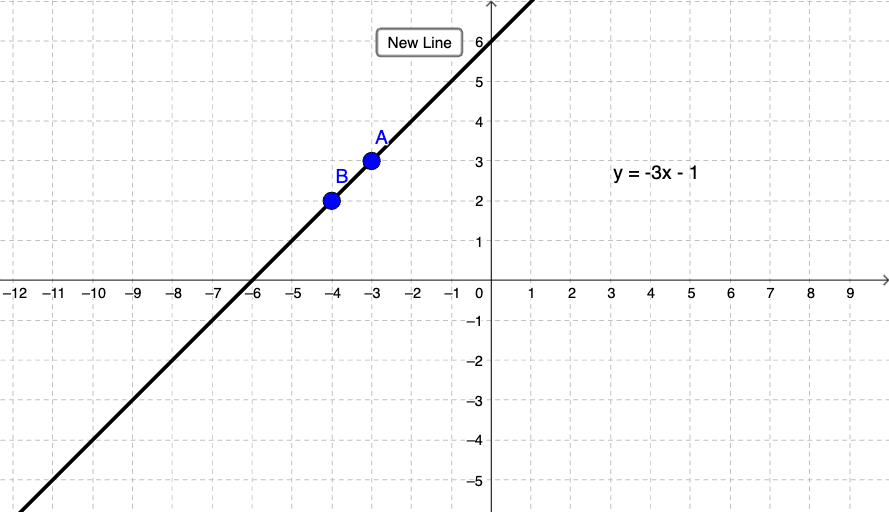
This example demonstrates a GeoGebra-style interactive construction where lines/segments are created and presented with supporting interface elements (buttons and labels). The key mathematical idea is basic geometric construction: using given points to define a Line object and visualizing the resulting geometric relationship. The construction summary indicates that the main command is Line, with objects including a and b, a button1 for interaction, and text labels text1 and text2, together with defining points A and B that determine the constructed line/segment. Such an activity is well suited for early geometry instruction, classroom demonstrations, and learning how to turn geometric definitions into dynamic visual models.
GeoGebra Commands & Parameters
Line(A, B) → b
AI Drawing Prompt Reference
Draw a straight line defined by two points. A line segment connects the two points, with text labels and an interactive button displayed on the figure. The construction order is to place the two points first, then draw the line, and finally add the labels and button.
The prompt above was compiled from the original drawing commands and is for reference only.