
Torus Section Demonstration
Loading the math board and drawing, please wait…
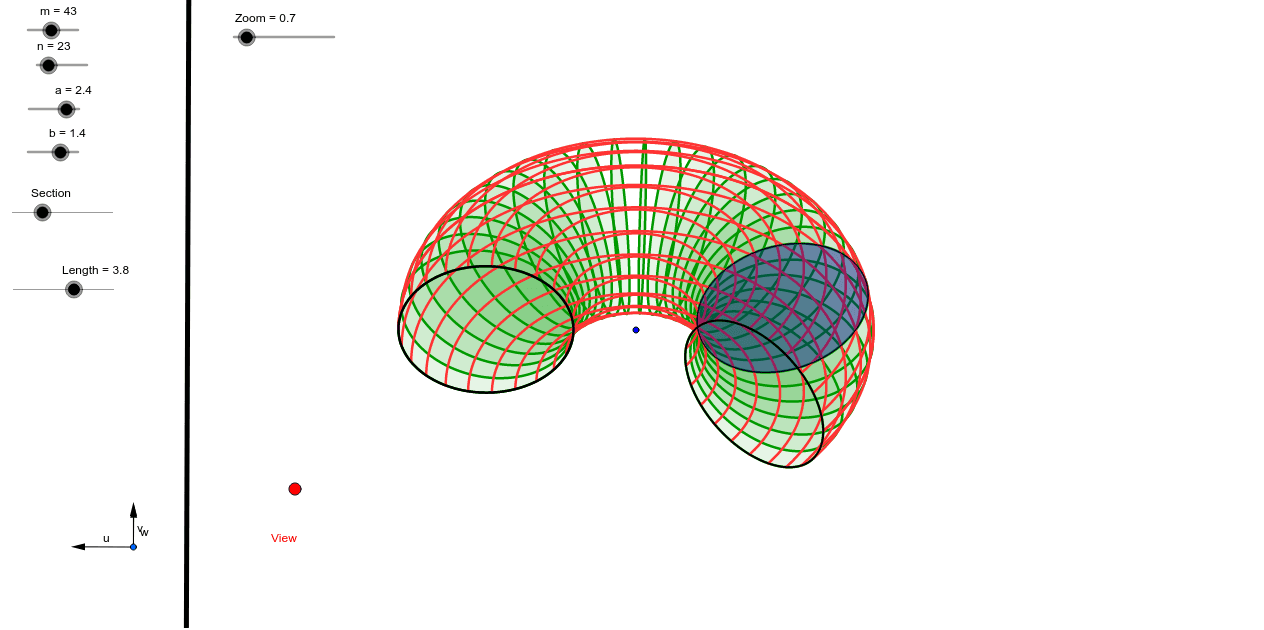
This example demonstrates the cross-section shapes of a torus at various angles using sliders and viewpoint control; involves core math concepts like solid geometry, parametric equations, and trigonometric functions; constructed using commands like Vector, OrthogonalLine, Translate, Segment, Mirror, Line, Sequence, Element in GeoGebra; suitable for high school students and math enthusiasts exploring spatial geometry and parametric equations applications.
GeoGebra Commands & Parameters
Vector(B_1, X) → uVector(B_1, Z) → wOrthogonalLine(View, yAxis) → a_2OrthogonalLine(View, xAxis) → b_2Vector(B_1, Y) → vTranslate(O, Vector[g * u]) → A_1Segment(O, A_1) → dMirror(A_1, O) → E_1Segment(E_1, O) → iLine(A, B) → eSequence(CurveCartesian[x(O + (a + b * cos(t)) * cos(s) * u + (a + b * cos(t)) * sin(s) * v + b * sin(t) * w), y(O + (a + b * cos(t)) * cos(s) * u + (a + b * cos(t)) * sin(s) * v + b * sin(t) * w), t, 0.0, 6.28319], s, 0.0, Length, 2.0 * 3.141592653589793 / m) → liste1Sequence(CurveCartesian[x(O + (a + b * cos(t)) * cos(s) * u + (a + b * cos(t)) * sin(s) * v + b * sin(t) * w), y(O + (a + b * cos(t)) * cos(s) * u + (a + b * cos(t)) * sin(s) * v + b * sin(t) * w), s, 0.0, Length], t, 0.0, 6.28319, 2.0 * 3.141592653589793 / n) → liste2Element(liste1, Section) → fElement(liste1, Section) → jElement(liste1, 1.0) → lElement(liste1, Length[liste1]) → h
AI Drawing Prompt Reference
Draw a torus and demonstrate its cross-section shapes at various angles. Use sliders to adjust the section angle, define the torus with parametric equations and trigonometric functions, and generate the section curves using vectors, mirroring, and translation.
The prompt above was compiled from the original drawing commands and is for reference only.