
Planes and Intersections II: Interactive Spatial Geometry
Loading the math board and drawing, please wait…
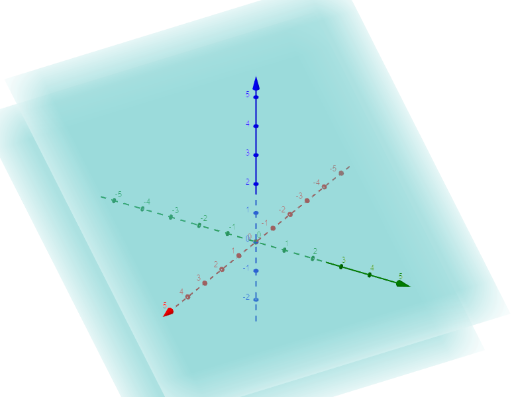
This example demonstrates the geometric phenomenon of two planes intersecting in 3D space, showing how the intersection line changes as the planes are dynamically adjusted. The core mathematical concepts involve solid geometry, including plane equations, relative positions of planes (parallel, intersecting, coincident), and parametric equations of the intersection line. Construction notes: based on the summary, only objects a and b are used, likely created via GeoGebra's plane tool or by entering plane equations, with the intersection line generated using the Intersect command, possibly combined with sliders or draggable points to alter plane orientations. Suitable for high school or early university students learning spatial analytic geometry, and useful for teachers as a classroom demonstration tool to enhance spatial visualization and deepen understanding of the relationship between plane normals and the direction vector of the intersection line.
GeoGebra Commands & Parameters
x + (2 * y) + (3 * z) = 5x + (2 * y) + (3 * z) = -4
AI Drawing Prompt Reference
Draw two intersecting planes with equations x + 2y + 3z = 5 and x + 2y + 3z = -4. Observe how the intersection line changes as you adjust the orientation of these planes using sliders or draggable points. Explore the relative positions of the planes (parallel, intersecting, or coincident) and the direction vector of the intersection line.
The prompt above was compiled from the original drawing commands and is for reference only.