
By the Bay 2.0
Loading the math board and drawing, please wait…
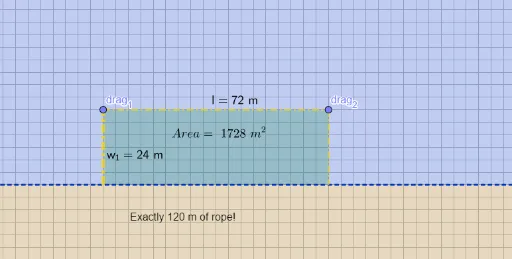
This example demonstrates geometric shapes near a bay. Key mathematical concepts include functions, symmetry, and interval division. Using GeoGebra commands such as Line, Point, Intersect, etc., a dynamic geometric figure is constructed. Suitable for high school mathematics education and learning.
GeoGebra Commands & Parameters
Line(A, B) → fLine(A, B) → gPoint(g) → CPoint(g) → DOrthogonalLine(C, g) → hPoint(h) → drag_1OrthogonalLine(drag_1, h) → iPoint(i) → drag_2OrthogonalLine(drag_2, i) → jIntersect(j, f) → GSegment(C, drag_1) → kSegment(drag_1, drag_2) → lSegment(drag_2, G) → mPolygon(C, drag_1, drag_2, G) → q1, c, e, f_1, g_1PointIn(q1) → Pointq1Midpoint(drag_1, C) → HMidpoint(drag_2, G) → IMidpoint(drag_1, drag_2) → JMidpoint(drag_1, G) → K
AI Drawing Prompt Reference
Draw a straight line and place two points on it. Through each point, construct a perpendicular line, and place a draggable point on each perpendicular. From each draggable point, draw another perpendicular to its own perpendicular line, creating two new lines; one of these new lines intersects the original line at a point. Connect the two original points, the two draggable points, and the intersection point in order to form a quadrilateral, and place a point inside it. Finally, mark the midpoints of the four sides of the quadrilateral. The figure shows a dynamic construction with a quadrilateral, an interior point, and several midpoints.
The prompt above was compiled from the original drawing commands and is for reference only.