
Tool for Compositions of Rigid and Similar Transformations
Loading the math board and drawing, please wait…
In collections
Congruence (CO) Cluster
Congruence (Vol 1)
Congruence (Vol 1) Over 80 Resources
CCSS High School: Geometry (Congruence) Volume 1 S N ATTAR
Geometry (Congruence) Volume 1
CCSS High School: Geometry (Congruence) Volume 1
CCSS High School: Geometry (Congruence) Volume 1
CCSS High School: Geometry (Congruence) Volume 1
CCSS High School: Geometry (Congruence) Volume 1
CCSS High School: Geometry (Congruence) Volume 1
CCSS High School: Geometry (Congruence) Volume 1
CCSS High School: Geometry (Congruence) Volume 1
CCSS High School: Geometry (Congruence) Volume 1
CCSS High School: Geometry (Congruence) Volume 1
CCSS High School: Geometry (Congruence) Volume 1
CCSS High School: Geometry (Congruence) Volume 1
CCSS High School: Geometry (Congruence) Volume 1
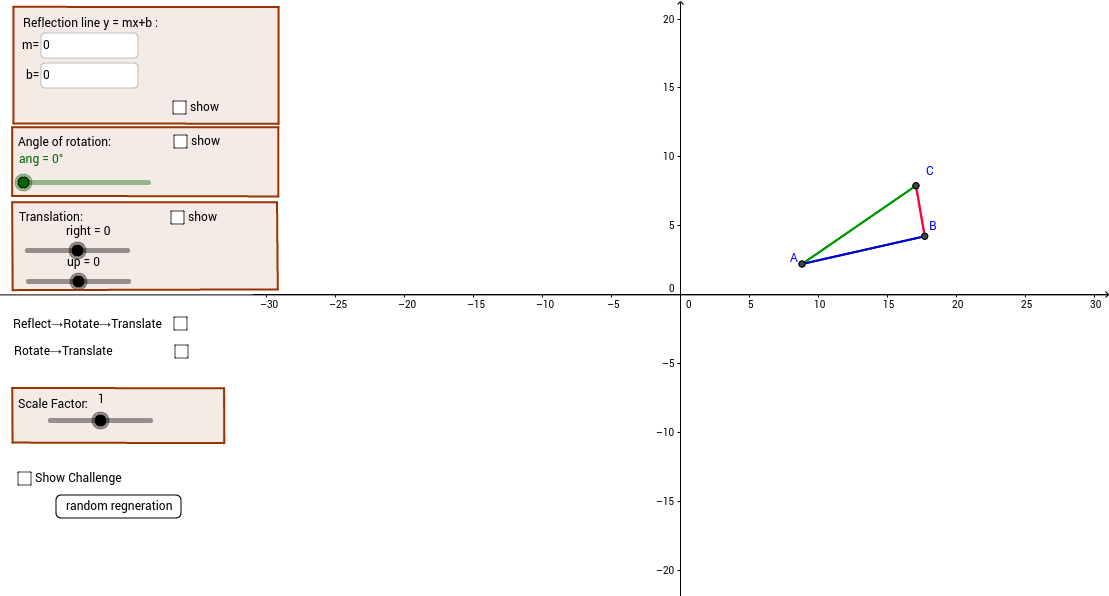
This example demonstrates the composition of rigid and similar transformations. Rigid transformations include translation, rotation, and reflection, while similar transformations include these with scaling. By adjusting parameters, observe the effects of the combined transformations. Key mathematical concepts include geometric transformations, similarity transformations, and scaling. GeoGebra commands used include TextField, Segment, Element, Polygon, etc. Suitable for middle school and above students or teachers.
GeoGebra Commands & Parameters
Textfield(m) → inputBox1Textfield(b) → inputBox2Segment(A, B) → aSegment(B, C) → cSegment(C, A) → dElement(A5, 1, 1) → B5Element(A5, 1, 2) → C5Element(A6, 1, 1) → B6Element(A7, 1, 1) → B7Element(A6, 1, 2) → C6Element(A7, 1, 2) → C7Element(A9, 1, 1) → B9Element(A9, 1, 2) → C9Element(A10, 1, 1) → B10Element(A11, 1, 1) → B11Element(A10, 1, 2) → C10Element(A11, 1, 2) → C11Element(A13, 1, 1) → B13Element(A14, 1, 1) → B14Element(A15, 1, 1) → B15Element(A18, 1, 1) → B18Element(A18, 1, 2) → C18Element(A19, 1, 1) → B19Element(A19, 1, 2) → C19Element(A20, 1, 1) → B20Element(A20, 1, 2) → C20Segment(D15, D14) → gSegment(D13, D14) → hSegment(D15, D13) → iSegment(D20, D19) → jSegment(D19, D18) → kSegment(D18, D20) → lSegment(D11, D9) → nSegment(D9, D10) → pSegment(D10, D11) → qSegment(D6, D7) → rSegment(D5, D7) → sSegment(D6, D5) → tPolygon(D, F, G, E) → poly1, d_1, f_1, g_1, e_1Polygon(H, I, J, K) → poly2, h_1, i_1, j_1, k_1Polygon(L, M, N, O) → poly3, l_1, m_1, n_1, o_1Element(A23, 1, 1) → B23Element(A23, 1, 2) → C23Element(A24, 1, 1) → B24Element(A24, 1, 2) → C24Element(A25, 1, 1) → B25Element(A25, 1, 2) → C25Segment(D23, D25) → a_1Segment(D24, D25) → b_1Segment(D24, D23) → c_1Segment(A28, A30) → q_1Segment(A30, A29) → r_1Segment(A29, A28) → s_1Polygon(P, Q, R, S) → poly4, p_2, q_2, r_2, s_2Shuffle({0, 0, 0, 0, 0, 0, 3 + 0 * v_1}) → A55Element(A55, 1) → A56Shuffle({1, 1, 1, 1, 0.7, 1.2, 0.4, 1.5, 0.3, 1, 1, 1, 1.1, 1.3, 1 + 0 * v_1}) → A59Element(A59, 1) → A60Shuffle({0, 0, 0, 0, 0, 0, 0, 1, 2, -1, -2, 1, 1, 4, 0, 0, 0, 0 * v_1}) → A51Segment(E64, E63) → t_1Segment(E62, E63) → a_2Segment(E62, E64) → b_2Textfield(m) → inputBox3
AI Drawing Prompt Reference
Draw a geometric pattern composed of rigid and similar transformations, showing the effects of different transformation parameters. Start with a base triangle, then generate multiple transformed triangles using input parameters for translation, rotation, reflection, and scaling, and connect these triangles with lines to form a complex pattern.
The prompt above was compiled from the original drawing commands and is for reference only.