
Tilted Square and Pythagorean Theorem Demonstration
Loading the math board and drawing, please wait…
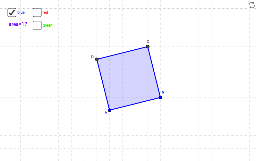
This GeoGebra example dynamically illustrates a tilted square and its associated triangles, visually demonstrating area relationships and the Pythagorean theorem. Core mathematical concepts include squares, triangles, area, the Pythagorean theorem, and geometric transformations. Construction highlights: using the Polygon command to create polygons poly1, poly2, and poly3, with points A, B, C, D, E, F, G, H, I, J and segments f, g, h, i, j, k, l, m, n, p, q, r, constructing the tilted square and right triangles through auxiliary lines, and using text1 to display area or side-length relationships. Suitable for middle and high school students learning geometry, area calculation, and the Pythagorean theorem, as well as for teachers demonstrating how the area of a square remains invariant under rotation and the square relationship among the sides of a right triangle.
GeoGebra Commands & Parameters
Polygon(A, B, 4) → poly1, f, g, h, i, C, DPolygon(A, E, 4) → poly2, j, k, l, m, F, GPolygon(F, H, 4) → poly3, n, p, q, r, I, J
AI Drawing Prompt Reference
Draw a dynamic geometric illustration showing a tilted square and its associated triangles, constructed with auxiliary lines to form the square and right triangles, labeling area or side-length relationships to visually demonstrate area relationships and the Pythagorean theorem, suitable for middle and high school students learning geometry, area calculation, and the Pythagorean theorem, highlighting that the area of a square remains invariant under rotation and the square relationship among the sides of a right triangle.
The prompt above was compiled from the original drawing commands and is for reference only.