
The Unit Square: Geometric Construction and Locus Exploration
Loading the math board and drawing, please wait…
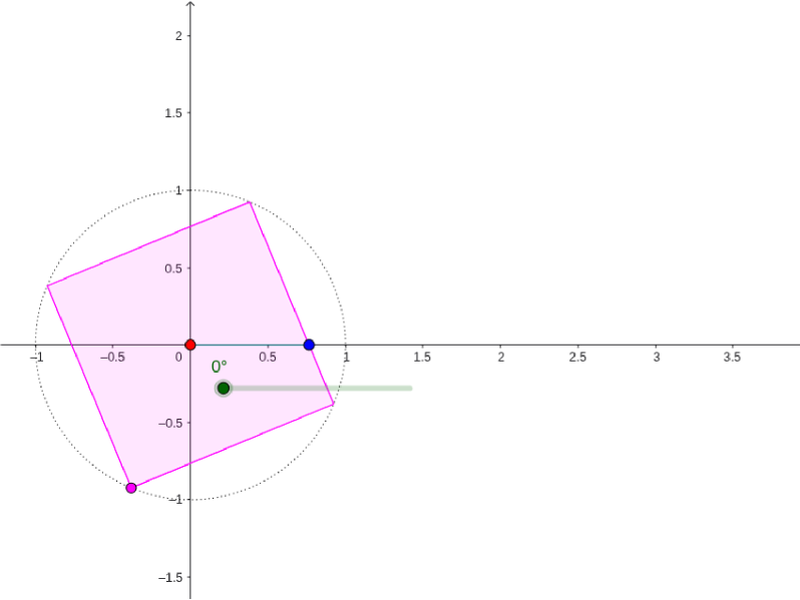
① This example demonstrates the construction of a unit square and various geometric elements (points, rays, circles, polygons, curves) within it, along with dynamic loci showing paths of points or curves as parameters change. ② Core mathematical concepts include the definition of a unit square, rotation and symmetry, polygon area, quadratic functions, ellipse equations, sequences and series in geometric form, and geometric transformations (rotation, translation) with locus generation. ③ Construction highlights: from the summary, GeoGebra commands used include Ray, Point, Circle, Rotate, Polygon, Intersect, Angle, Segment, CurveCartesian, and Locus; objects include α (angle), B, i, A, c, D, D', poly1, e, f, g, h, E, F, G, C, β, a, b, j, d, loc1, k, l, driven by sliders or parameters for dynamic interaction. ④ Suitable for middle/high school geometry and algebra teaching, as well as university-level analytic geometry or dynamic geometry demonstrations, helping students intuitively understand geometric relationships and locus formation.
GeoGebra Commands & Parameters
Ray((0, 0), B) → iPoint(yAxis) → ACircle(A, 1) → cPoint(c) → DRotate(D, 1.5707963267948966, (0, 0)) → D'Polygon(D, D', 4) → poly1, e, f, g, h, E, FIntersect(i, poly1) → GAngle((1, 0), (0, 0), B) → βSegment(B, (x(B), 0)) → aSegment(C, (x(C), 0)) → bSegment(G, (x(G), 0)) → jCurveCartesian(t, y(G), t, 0, α) → dLocus(C, α) → loc1Segment(G, (0, 0)) → kSegment(G, C) → l