
The Unit Circle: Interactive Trigonometric Visualization by Norm Prokup
Loading the math board and drawing, please wait…
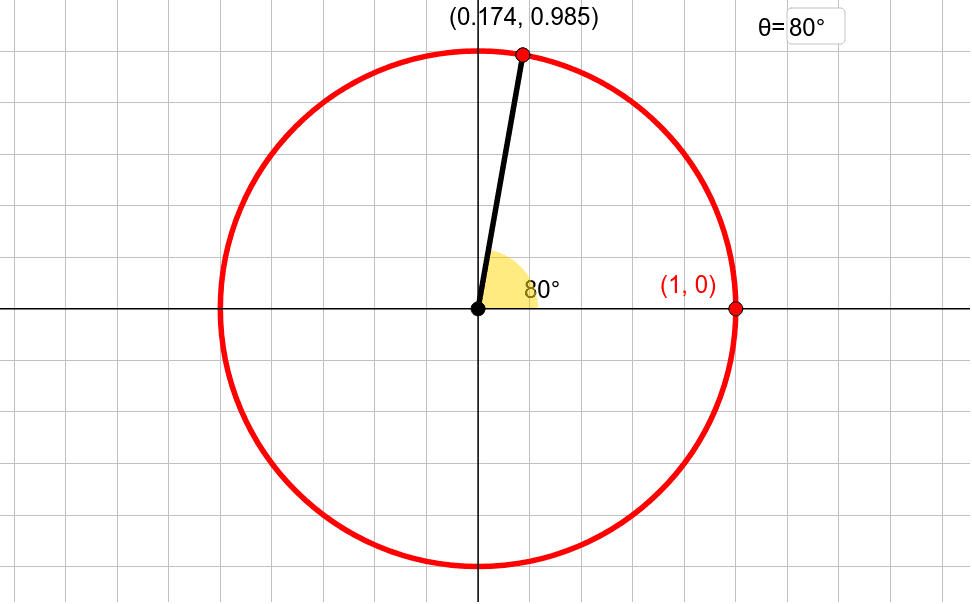
This GeoGebra example presents an interactive unit circle that dynamically illustrates the geometric relationships between an angle and the sine/cosine values on the circle. It demonstrates how the coordinates of a point on the unit circle correspond to trigonometric functions, reinforcing the unit circle definition and radian measure. The construction uses commands such as Circle, Point, CurveCartesian, Rotate, Angle, Textfield, Segment, Ray, and Intersect, with objects like γ, B, A, c, g, h, D, E, a, B', α, InputBox1, B'_1, f, β, i, C, F, G, text1, and text2. It is ideal for high school students learning trigonometry, radians, and the unit circle, as well as for teachers demonstrating these concepts in class or for self-study.
GeoGebra Commands & Parameters
Circle(A, B) → cPoint(h) → DPoint(g) → ECurveCartesian((x(E) * cos(t)), (y(D) * sin(t)), t, 0, (2 * π)) → aRotate(B, γ, A) → B'Angle(B, A, B') → αTextfield(γ) → InputBox1Rotate(B, γ, A) → B'_1Segment(A, B') → fAngle(B, A, B') → βRay(A, B') → iIntersect(i, a) → C, F, G
AI Drawing Prompt Reference
Draw a unit circle centered at the origin with radius 1. Place a point on the circle as the starting position. Use a slider to control the rotation angle, generating a new point after rotating the starting point around the center. Draw a ray from the center to the rotated point, and mark its intersection with the circle. Inside the circle, draw a horizontal segment and a vertical segment representing the cosine and sine of the angle respectively. Indicate the rotation angle with an arc, and include an input box to directly enter the angle value. Show how the coordinates of the point on the circle correspond to trigonometric functions as the angle changes.
The prompt above was compiled from the original drawing commands and is for reference only.