
Dynamic Demonstration of Trigonometric Ratios for Rotation and Reference Angles
Loading the math board and drawing, please wait…
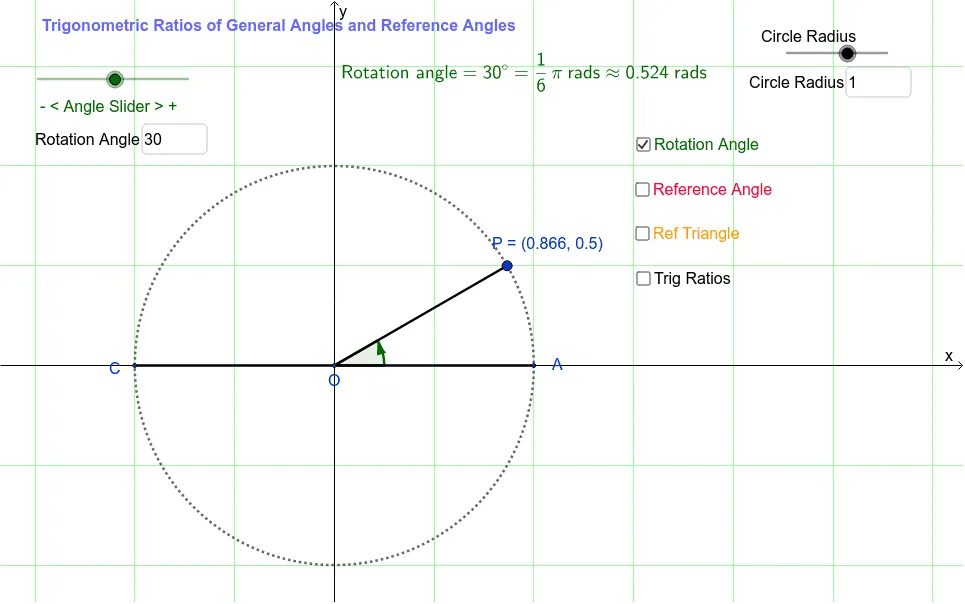
This GeoGebra example dynamically illustrates the relationship between trigonometric ratios of any rotation angle (including angles greater than 90°) and their reference angles. The core mathematical concept is the extension of trigonometric definitions on the unit circle: sine, cosine, and tangent ratios are determined by the coordinates of the terminal point, while the reference angle (acute) simplifies calculations and reveals sign changes across quadrants. Construction highlights include using the Intersect command to find unit circle intersections, Segment for radii and perpendiculars, Angle to mark rotation and reference angles, If and Element for quadrant logic, Polygon for triangles, Midpoint for the center, and Textfield for angle input. Key objects include points P, A, O, segments s_t1 and r, angles θ_o and θ_r, plus auxiliary elements like ReferenceAngle1/2 and ListQuad. This is ideal for high school trigonometry or pre-calculus review, helping students intuitively grasp sign rules and periodicity of trigonometric functions for arbitrary angles, and explore algebraic relationships between rotation and reference angles.
GeoGebra Commands & Parameters
Intersect(c, xAxis, 2) → AIntersect(xAxis, yAxis) → OSegment(O, A) → aSegment(O, P) → bAngle(A, O, P) → α_+Angle(A, O, P_o) → θ_cAngle(P, O, A) → α_-Intersect(c, xAxis, 1) → CSegment(O, C) → dAngle(C, O, P) → ReferenceAngle2Angle(A, O, P) → ReferenceAngle1If(ReferenceAngle1 ≟ 0°, 1, floor((θ_o - 0.01) / 90) + 1) → nquadIf(Mod[nquad, 4] ≟ 0, 4, Mod[nquad, 4]) → quadElement(ListQuad, quad) → P_qPolygon(O, P, Q) → poly1, p_x, o, pAngle(O, Q, P) → rtAngledElement(ListGenAngle, quad) → P_gElement(ListRefAngle, quad) → P_fMidpoint(O, Q) → OQmidMidpoint(P, Q) → PQmidMidpoint(O, P) → OPmidAngle(A, O, P_o) → θ_{c2}Angle(A, O, P_o) → θ_{c3}Angle(A, O, P_o) → θ_{c4}Intersect(b, p_x) → BTextfield(θ_o) → inputBox1Textfield(r) → inputBox2
AI Drawing Prompt Reference
Draw a dynamic rotating angle inside a circle, marking the intersection point of the terminal side with the unit circle, and display the angle between the terminal side and the x-axis as well as the reference angle. Connect the center of the circle to the intersection point with line segments and draw perpendiculars. Use different colors or markings to distinguish the quadrants, and label the angle values and trigonometric function values for each quadrant. Add a slider to dynamically adjust the angle and update all related graphics and values in real time.
The prompt above was compiled from the original drawing commands and is for reference only.