
The Rabbit's Surface: 3D Geometry and Random Experiments
Loading the math board and drawing, please wait…
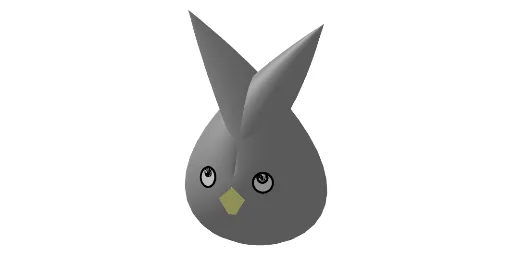
① This GeoGebra example constructs a 3D solid called 'The Rabbit's Surface', combining random experiments with geometric transformations to display a complex polyhedron. ② Core mathematical concepts include solid geometry (polyhedra), transformations (rotation, reflection), and probability/statistics (confidence intervals as tagged), along with basic elements like rhombi, cones, and quadrilaterals. ③ Construction highlights: uses GeoGebra commands such as Surface, Point, Mirror, Line, Circle, Sequence, Polygon, Prism, Rotate, and Midpoint; creates multiple objects (points A, B, C, faces face1-face6, etc.) to form a symmetric structure via rotation and mirroring. ④ Suitable for high school and above, useful for exploring 3D geometric modeling, transformations, and stochastic simulations, and as a teaching resource for math labs or demonstrations.
GeoGebra Commands & Parameters
Surface(x(O) + (1.2 * f(u, v)), y(O) + g(u, v), z(O) - (c * h(u, v)), u, 0, (2 * π), v, 0, (2 * π)) → bPoint(zAxis) → AMirror(B, zAxis) → B'Mirror(C, zAxis) → C'Line(B, B' + (1, 0, -1)) → iLine(C' + (-1, 0, -1), C) → jCircle(C, 0.5, j) → eMirror(D, zAxis) → D'Line(D, D') → kCircle(D, 0.7, k) → pPoint(p) → ESequence(Rotate[E, i, k], i, 0, (2 * π), (2 * π / n)) → l1Polygon(l1) → t1Prism(t1, 1) → l, F, face5, face2, face6, faceFGHIJ, arête1, arête2, arête3, arête4, arête5, arête6, G, arêteFG, arêteGH, arêteHI, arêteIJ, arêteFJ, arête7, H, I, J, K, face1, face3, face4Circle(B, 0.5, i) → dPoint(d) → LPoint(e) → MRotate(L, m, i) → L'Midpoint(B, L') → NLine(N, i) → qCircle(N, 0.25, d) → rRotate(M, (-m), j) → M'Midpoint(M', C) → PLine(P, j) → sCircle(P, 0.25, e) → tCircle(C, 0.5, j) → c_1Circle(B, 0.5, i) → o
AI Drawing Prompt Reference
Create a 3D solid called 'The Rabbit's Surface' by combining random experiments and geometric transformations. Start by drawing a surface, then use rotation and mirroring to create multiple faces and edges, forming a symmetric structure. Next, draw several circles and points, and use rotation and mirroring to generate more faces and edges, ultimately creating a complex polyhedron.
The prompt above was compiled from the original drawing commands and is for reference only.