
The Cube to Become a Sphere
Loading the math board and drawing, please wait…
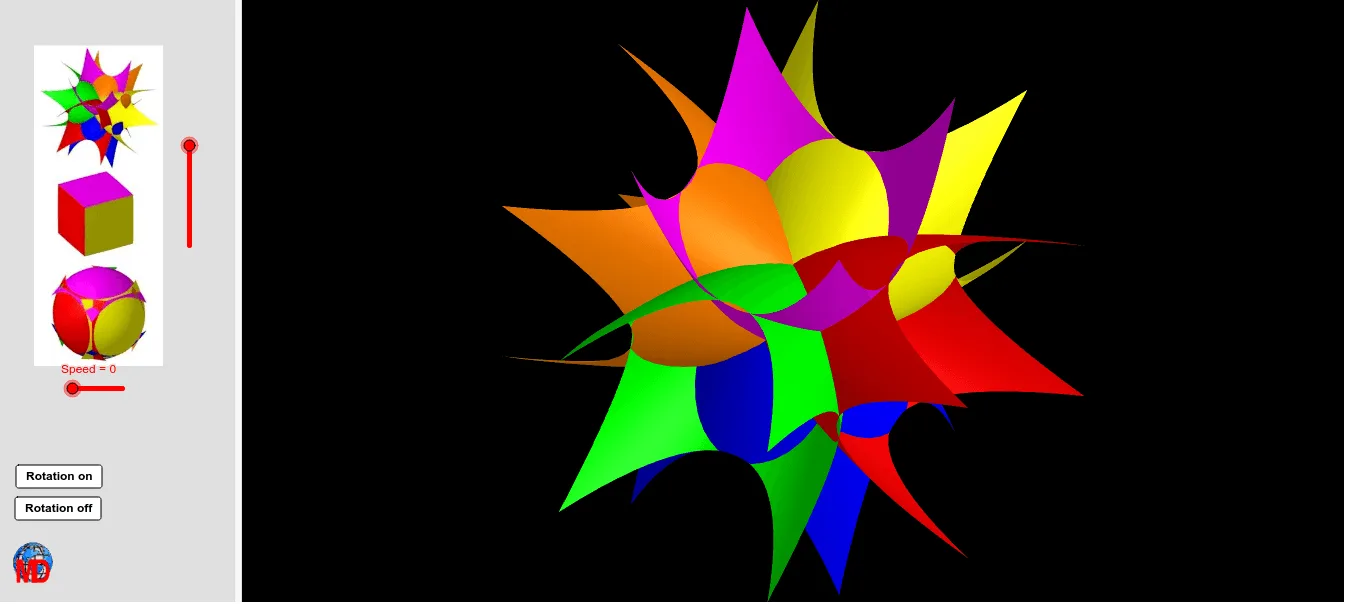
This example demonstrates the dynamic transformation of a cube into a sphere through rotation. Core math concepts include solid geometry, transformation, and parametric equations. Construction highlights from the summary involve commands like Surface, Line, Rotate, and objects such as g, k, pic1, etc. Suitable for high school students and math enthusiasts learning spatial geometry and transformations.
GeoGebra Commands & Parameters
Surface(x(A) + (a * (u^(2) + s^(2))) - (2 * a), y(A) + s, z(A) + u, u, (-Length), Length, s, (-Length), Length) → oLine(O, zAxis) → hRotate(o, π, h) → o'Rotate(o, π / 2, h) → o'_1Rotate(o, (3 * π / 2), h) → o'_2Line(O, yAxis) → iRotate(o, π / 2, i) → o'_3Rotate(o, ((-π)) / 2, i) → o'_4
AI Drawing Prompt Reference
Start by drawing a cube, then transform it into a sphere through rotation. First, create a surface representing part of the cube. Then, rotate this surface 180 degrees around the z-axis, followed by a 90-degree rotation around the y-axis, and finally a -90-degree rotation around the z-axis. This will gradually transform the cube into a sphere.
The prompt above was compiled from the original drawing commands and is for reference only.