
Test Yourself: Gradient (Slope) Practice
Loading the math board and drawing, please wait…
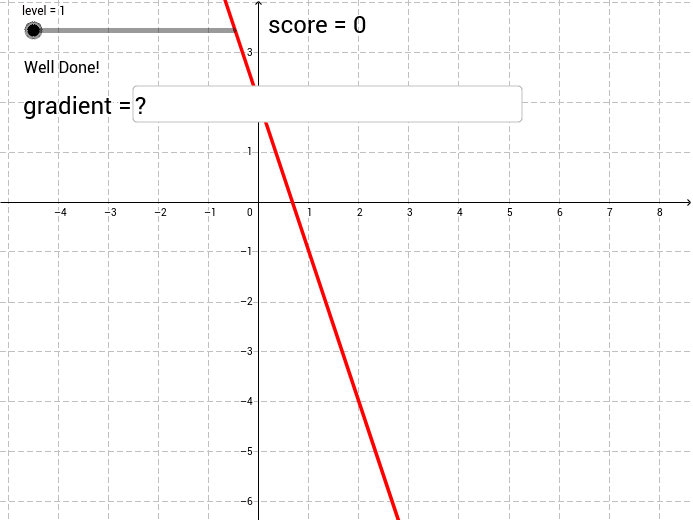
① This interactive self-test tool demonstrates the geometric meaning of the gradient (slope) of a straight line by randomly generating two points and asking the learner to compute the ratio of vertical change (rise) to horizontal change (run). ② Core mathematical concepts include slope (rise over run), linear equations, coordinate differences, and conditional probability (used to randomize question generation), with a foundational connection to derivatives as rates of change. ③ Construction highlights: GeoGebra commands such as Random generate random coordinates, Element selects values from lists, Textfield creates input boxes for answers, a button (button1) triggers evaluation, and score/correct objects provide real-time feedback, displaying encouraging or corrective messages (wellDone/keepTrying). ④ Suitable for middle school (upper grades) through high school students learning slope or introductory calculus, and useful for teachers as an interactive classroom exercise or for self-study to reinforce slope calculation and geometric intuition.
GeoGebra Commands & Parameters
Element(runs, level) → runRandom(1 + (0 * rand), Length[run]) → randNumElement(rises, level) → riseElement(run, Random[1, Length[run]]) → aRandom(-3 + (0 * rand), 3) → cElement(rise, randNum) → bTextfield(answer) → inputBox1
AI Drawing Prompt Reference
Draw a line by randomly generating two points A and B, with the x-coordinate of point A ranging from -3 to 3 and the y-coordinate ranging from -3 to 3. Calculate the slope of the line, which is the ratio of the change in y to the change in x between points A and B. Enter the calculated result in the input box, and click the button to receive feedback indicating whether your answer is correct or not.
The prompt above was compiled from the original drawing commands and is for reference only.