
Team Task: Rectangle Coordinates
Loading the math board and drawing, please wait…
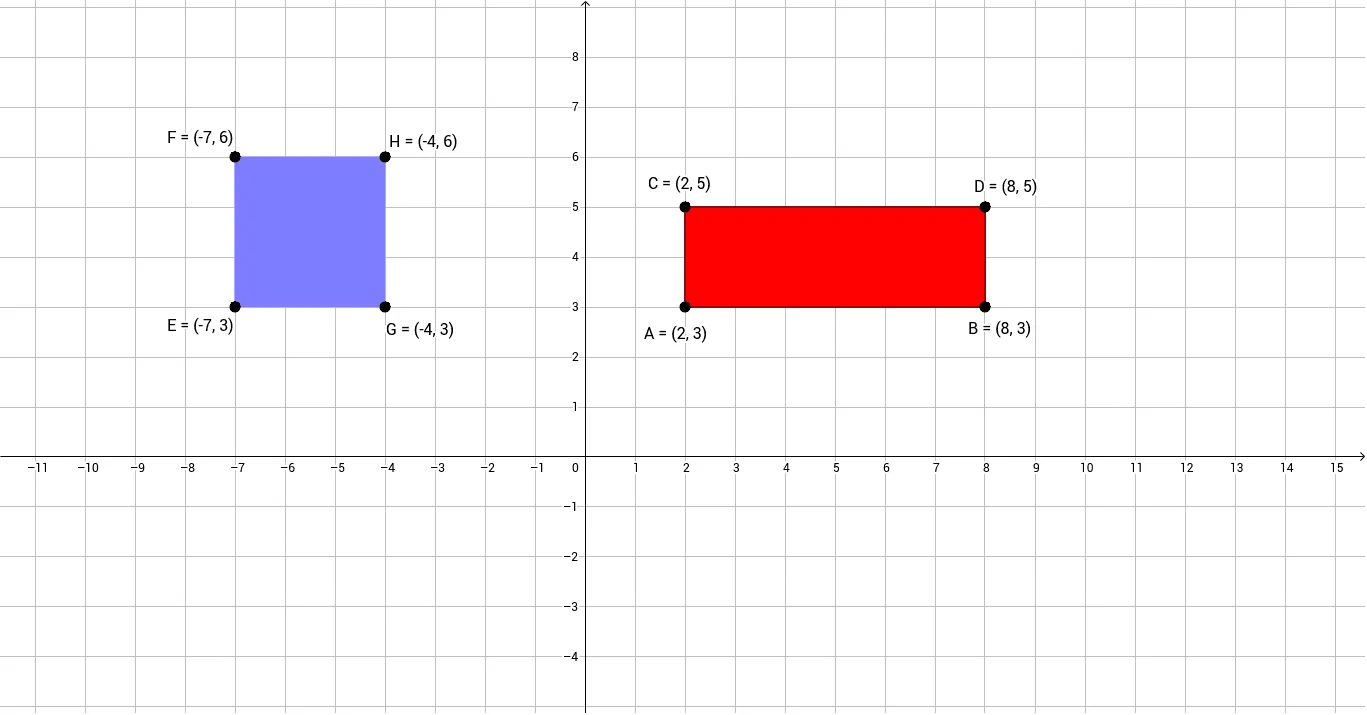
This example demonstrates how to draw a rectangle using coordinates and analyze its geometric properties. Core math concepts include coordinate geometry, rectangle characteristics, angles, and orthogonal lines. Construction highlights involve commands like Line, Point, OrthogonalLine, Intersect, Segment, and Polygon in GeoGebra. Suitable for high school mathematics teaching, focusing on analytical geometry and geometric construction practice.
GeoGebra Commands & Parameters
Line(A, xAxis) → aPoint(a) → BOrthogonalLine(A, a) → bPoint(b) → CLine(C, a) → cOrthogonalLine(B, a) → dIntersect(c, d) → DSegment(A, B) → eSegment(B, D) → fSegment(D, C) → gSegment(C, A) → hPolygon(A, B, D, C) → poly1, a_1, b_1, d_1, c_1Line(E, yAxis) → iPoint(i) → FLine(E, xAxis) → jPoint(j) → GOrthogonalLine(G, j) → kOrthogonalLine(F, i) → lIntersect(k, l) → HPolygon(F, E, G, H) → poly2, f_1, e_1, g_1, h_1
AI Drawing Prompt Reference
Draw a rectangle by first creating a line through point A and the x-axis, then creating point B on this line. Next, create a line through point A that is perpendicular to the first line, and create point C on this line. Then, create a line through point C that is parallel to the first line, and create a line through point B that is perpendicular to the first line, with their intersection point D. Connect points A to B, B to D, D to C, and C to A to form a rectangle. Then, create a line through the y-axis, and create point F on this line. Next, create a line through the x-axis, and create point G on this line. Finally, create a line through point G that is perpendicular to the second line, and a line through point F that is perpendicular to the first line, with their intersection point H to form another rectangle.
The prompt above was compiled from the original drawing commands and is for reference only.