
Collapsing Rectangle
Loading the math board and drawing, please wait…
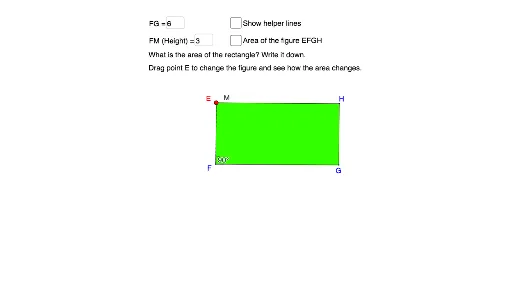
This example demonstrates the transformation of a rectangle into a parallelogram while maintaining its area, illustrating key mathematical concepts such as area, parallelogram, quadrilaterals, rectangle, logic, exponent, dilation, linear programming or optimization, and random variables. The construction involves commands like Point, Segment, OrthogonalLine, Circle, Intersect, Line, Polygon, PointIn, Textfield, and Angle, making it suitable for high school and advanced learners exploring geometric transformations and optimization.
GeoGebra Commands & Parameters
Point(Circle[F, FG]) → GSegment(F, G) → fPoint(f) → COrthogonalLine(C, f) → gCircle(C, FM) → cIntersect(c, g, 2) → MLine(M, f) → hPoint(h) → ESegment(E, F) → iLine(G, i) → jIntersect(h, j) → HSegment(M, C) → kSegment(E, H) → lSegment(H, G) → mPolygon(E, F, G, H) → poly1, e, f_1, g_1, h_1PointIn(poly1) → Pointpoly1_1PointIn(poly1) → Pointpoly1Textfield(FG) → InputBox1Textfield(FM) → InputBox2Line(E, l) → nLine(C, f) → pAngle(G, C, E) → α
AI Drawing Prompt Reference
Draw a rectangle and then transform it into a parallelogram while keeping the area constant. Start by taking point G on a circle, then draw line segment f through FG. Take point C on f, draw a perpendicular line g through C, and draw a circle c with C as the center and FM as the radius. Find the intersection M of circle c and line g. Draw a line h parallel to f through M, and find the intersection E of h and f. Draw line segment i through EF, and draw a line j parallel to i through G. Find the intersection H of h and j. Draw line segments MC, EH, and HG to form parallelogram EFGH.
The prompt above was compiled from the original drawing commands and is for reference only.