
Tank Game (Version 1)
Loading the math board and drawing, please wait…
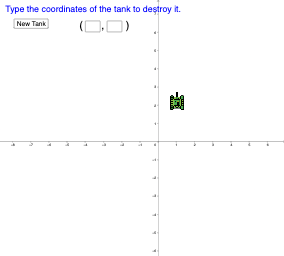
This example uses GeoGebra to demonstrate a simple tank game. The core mathematical concepts include coordinates, interest calculation, and geometric transformations. By using commands like Random, Circle, Rotate, etc., dynamic tank movement and shooting effects can be constructed. Suitable for middle school and above students to learn geometric transformations and dynamic geometry.
GeoGebra Commands & Parameters
Random(-5, 5) → bRandom(-5, 5) → aCircle(A_{1}, B) → cMidpoint(A_{1}, B) → CCircle(A_{1}, C) → dRotate(C, 225°, A_{1}) → LTextfield(m) → InputBox1Textfield(n) → InputBox2If(m ≟ tx ∧ n ≟ ty, 1, 0) → hit
AI Drawing Prompt Reference
Create a tank game scene. First, randomly generate two points A and B within the range of -5 to 5, and draw a circle c with A as the center and B as the radius. Then, find the midpoint C of A and B, and draw a circle d with A as the center and C as the radius. Next, rotate C 225 degrees counterclockwise around A to get L. Finally, input two numbers m and n, and mark it as a hit if m and n match the coordinates of a point.
The prompt above was compiled from the original drawing commands and is for reference only.