
t-Distribution Calculator: Visualization and Computation
Loading the math board and drawing, please wait…
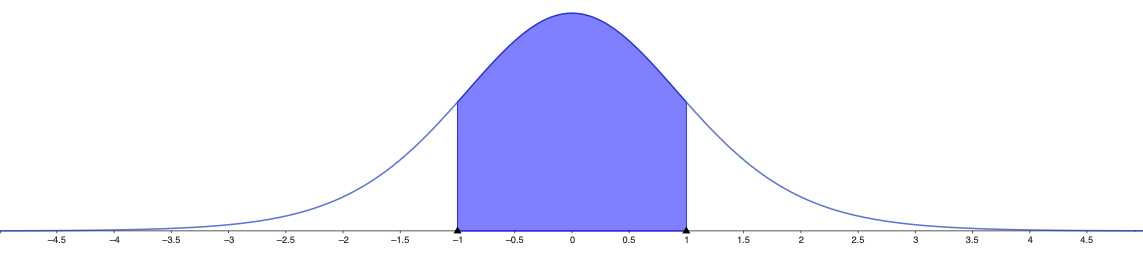
This example demonstrates how to visualize the Student’s t-distribution for different degrees of freedom and how to compute quantities such as probabilities over an interval (or critical values/percentiles). The main mathematical ideas include the t-distribution, the role of degrees of freedom in shaping the density and tail thickness, the probability density function (PDF) and cumulative distribution function (CDF), and interval probability calculations. Construction typically focuses on graphing the t-distribution curve in a 2D coordinate system and (optionally) shading a region to represent the requested probability, while using a parameter-driven input for degrees of freedom. Although no specific GeoGebra commands are provided in the construct summary, the model is expected to rely on GeoGebra’s function/graphing capabilities and its built-in distribution/probability tools to generate the curve and the computed probability values. Suitable for high-school advanced learners and early undergraduate courses in probability and statistics, as well as for interactive classroom demonstrations.
AI Drawing Prompt Reference
Draw the Student's t-distribution curve in a 2D coordinate system, with a parameter controlling degrees of freedom to show how the shape and tail thickness change. Also, calculate and display probabilities over specific intervals, using shaded areas to represent them, and visualize the probability density function and cumulative distribution function.
The prompt above was compiled from the original drawing commands and is for reference only.