
Systems of Equations and Row Operations
Loading the math board and drawing, please wait…
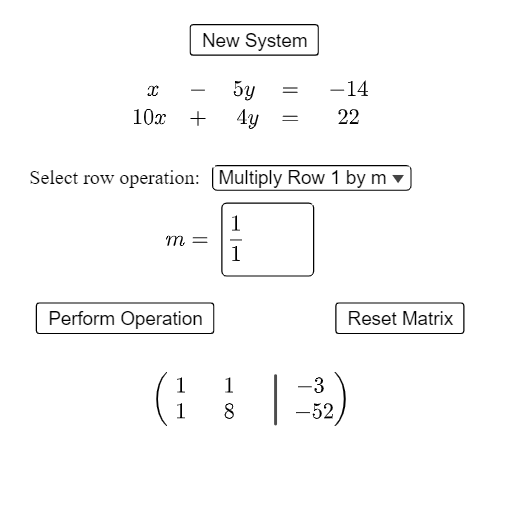
This example demonstrates solving systems of linear equations through row operations, visually showcasing matrix transformations. Core math concepts include systems of linear equations, matrix operations, and row reduction. Construction highlights: utilizes GeoGebra commands/objects like Corner, Sequence, Textfield, Segment, If, with elements such as newR1Coeff, newR2Coeff, coeffList, etc., for dynamic matrix manipulation and conditional text display. Suitable for high school and introductory university students of linear algebra and equation solving.
GeoGebra Commands & Parameters
Corner(text6, 3) → mRef4Corner(text6, 2) → mRef2Corner(text6, 1) → mRef1Sequence(Random[-10, 10], k, 1, 5) → coeffList2, {-5, 1, 10, 4, 3}Corner(text1, 1) → lPointCorner(text1, 2) → rPointCorner(text1, 3) → tPointTextfield(a) → InputBox2Segment(mPoint, (x(mPoint), y(tPoint) - 0.2)) → fCorner(text7, 1) → eRef1Corner(text7, 2) → eRef2Corner(text7, 3) → eRef4If(SelectedElement[rOperations] ≟ rOperations(1), (-0.6, 1.1), (1, 1.1)) → DIf(SelectedElement[rOperations] ≟ rOperations(1), (-1.6, 1), (0, 1)) → C
AI Drawing Prompt Reference
Draw a graph of the solution to a system of linear equations, including two lines and their intersection point. First, generate five random coefficients, then draw two lines by adjusting these coefficients. Mark the intersection point and use a vertical segment to indicate the y-coordinate of the intersection. Finally, show the transformation effects based on row operations.
The prompt above was compiled from the original drawing commands and is for reference only.