
Open Middle: Graphing Linear Inequalities (2)
Loading the math board and drawing, please wait…
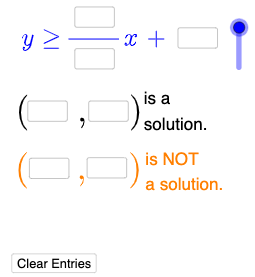
① This interactive GeoGebra example demonstrates how to graph linear inequalities by allowing students to enter values in input boxes and instantly see the corresponding shaded regions and boundary lines. ② Core mathematical concepts include linear inequalities, boundary lines, half-planes, integer solutions, and the intersection of inequality regions. ③ Construction highlights: the applet uses Textfield and InputBox objects for user input, If commands to conditionally generate lines or regions, and a button to refresh the display; key objects include variables a–j, lines l1 and l2, polygons p and q, and multiple text labels, all designed to provide dynamic feedback. ④ This resource is suitable for middle or high school algebra classes, particularly for open-middle tasks where students explore multiple valid integer solutions, reinforcing their understanding of inequality graphing and problem-solving strategies.
GeoGebra Commands & Parameters
Textfield(a) → InputBox1Textfield(b) → InputBox2Textfield(c) → InputBox3Textfield(d) → InputBox4Textfield(e) → InputBox5Textfield(f) → InputBox6Textfield(g) → InputBox7Textfield(h) → InputBox8Textfield(i) → InputBox9Textfield(j) → InputBox10Mode(l1) → l2If(Length[l2] ≟ 0, "No digits repeat.", "Repeated digits exist.") → text4If(l ≟ 1, "≤", "≥") → text5If(l ≟ 1, y ≤ p(x), y ≥ p(x)) → mIf(IsInRegion[k, m], "√", "X") → text6If(¬IsInRegion[A, m], "√", "X") → text7
AI Drawing Prompt Reference
Create an interactive graph showing how to plot linear inequalities. Users input values in boxes to see corresponding boundary lines and shaded regions update in real-time. Include multiple boundary lines, half-planes, and integer solutions, suitable for exploring intersections of inequality regions. A button refreshes the display for dynamic feedback.
The prompt above was compiled from the original drawing commands and is for reference only.