
GeoGebra Linear Equations Exploration
Loading the math board and drawing, please wait…
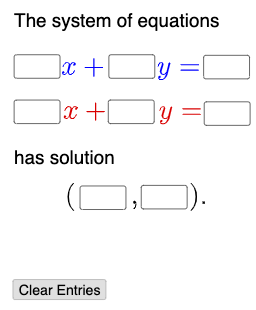
This example demonstrates the relationship between the solution set and graph of linear equations through dynamic interaction; involves core concepts like linear equations, function graphs, and parameter adjustment; constructed using GeoGebra commands/objects such as Textfield, Mode, If, and InputBoxes; suitable for high school mathematics teaching to understand linear equation solving and visualization.
GeoGebra Commands & Parameters
Textfield(a) → InputBox1Textfield(b) → InputBox2Textfield(c) → InputBox3Textfield(d) → InputBox4Textfield(e) → InputBox5Textfield(f) → InputBox6Textfield(g) → InputBox7Textfield(h) → InputBox8Textfield(i) → InputBox9Textfield(j) → InputBox10Mode(l1) → l2If(Length[l2] ≟ 0, "No digits repeat.", "Repeated digits exist.") → text2
AI Drawing Prompt Reference
Create a dynamic interactive graph showing the relationship between the solution set and graph of linear equations, involving adjustable parameters, input boxes for coefficients, sliders for parameter adjustment, function graphs, and coordinate geometry, with a check for repeated digits in inputs, suitable for high school math teaching on linear equation solving and visualization.
The prompt above was compiled from the original drawing commands and is for reference only.