
Friends and Money: Solving Linear Equations
Loading the math board and drawing, please wait…
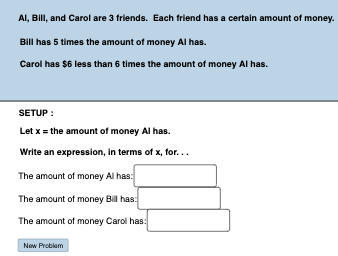
This example demonstrates how to translate verbal descriptions into linear equations and solve them dynamically. It involves core math concepts like linear equations, algebraic operations, and geometric representations. Constructed using commands such as Random, Textfield, and Polygon to create interactive models. Ideal for middle school and above, focusing on real-world applications of linear equations and problem-solving techniques.
GeoGebra Commands & Parameters
Random(50, 150) → aRandom(2, 10) → kRandom(2, 10) → wRandom(1, (2 * a) - 5) → dRandom(0, 1) → nRandom(0, 1) → pTextfield(f) → InputBox1Textfield(g) → InputBox2Textfield(h) → InputBox3Textfield(c) → InputBox4Textfield(e) → InputBox5Textfield(i) → InputBox6Polygon(A, B, C, D) → poly1, a_2, b_2, c_2, d_2
AI Drawing Prompt Reference
Draw a coordinate system with x and y axes ranging from 0 to 150. Plot two lines, l1 with slope a/k and y-intercept d, and l2 with slope w and y-intercept n. Draw a quadrilateral with vertices at (0,0), (a,0), (a,d), and (0,d). Input the equations of lines l1 and l2 in the text fields, such as 'y = (a/k)x + d' and 'y = wx + n'.
The prompt above was compiled from the original drawing commands and is for reference only.