
Integer Comparison - Level 2
Loading the math board and drawing, please wait…
In collections
Ordnen und Vergleichen von ganzen Zahlen
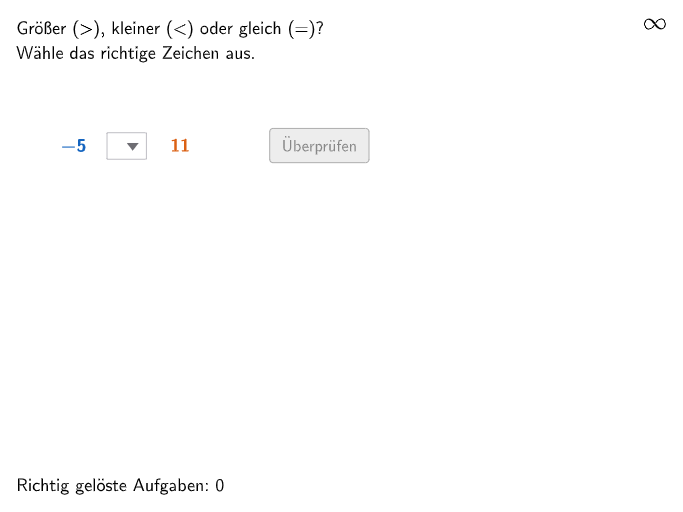
This example demonstrates how to compare and order integers using a number line. The core math concepts involved are integer comparison and ordering, visually represented with a number line. Construction highlights include using GeoGebra commands and objects like Sequence, Element, If, Point, Textfield, Segment, RemoveUndefined, Join to create an interactive number line and problems. Suitable for 5-6th grade students to develop number sense and integer comparison skills.
GeoGebra Commands & Parameters
Sequence(Random[numMinimum, RandomElement[{0, numMaximum}]], i, 1, 100) → randomNumbers1, {-5, 4, 19, 7, -2, 1, -19, -15, 19, -20, -10, -19, 9, 18, -5, 2, 12, -19, -12, -5, -16, 9, -9, 8, 0, -15, -11, -16, 9, 11, -12, -14, -20, -16, -7, 0, -10, 13, -15, -13, -13, -3, -9, -11, 12, -5, 13, -5, 11, -1, -9, -1, -6, -11, 16, -13, -15, -5, -7, -20, -13, -7, -7, 1, 7, -1, -8, -11, -10, -18, -18, 5, 8, -8, 14, 12, 14, -20, -20, 0, -18, 4, -17, 0, -17, 13, -12, -18, -14, -8, -14, 0, 5, -15, -10, -10, 16, -4, -17, -9}Element(randomNumbers1, Mod[questionCount, Length[randomNumbers1]] + 1) → randomNum1Sequence(Random[numMinimum, RandomElement[{0, numMaximum}]], i, 1, 100) → randomNumbers2, {11, -2, -16, -2, -11, -6, -6, 12, 17, -2, -15, -15, 18, -15, -16, -18, -6, -5, -9, -16, 8, 12, 17, -17, 10, 7, -9, 0, 0, -8, -17, 14, -9, 18, 7, -6, -14, -14, 20, -14, -14, -6, -9, -4, -16, 2, -17, -8, -18, -4, -10, 14, -14, -20, -15, -15, -6, -1, -3, 0, -2, 17, 4, 0, 12, -12, 17, -1, -10, -14, -9, -1, -4, -15, 14, -14, -19, -1, -11, -8, -1, -7, -20, -20, -18, -13, -14, 17, 14, 6, 3, -10, -3, -16, -13, -3, -6, -17, -18, -15}Element(randomNumbers2, Mod[questionCount, Length[randomNumbers2]] + 1) → randomNum2If(randomNum1 > randomNum2, 2, If[randomNum1 < randomNum2, 3, If[randomNum1 ≟ randomNum2, 4, 1]]) → solutionSequence((zahlenstrahlXWert + (zahlenstrahlEinheit * i), zahlenstrahlYWert), i, 0, numDif, 1) → zahlenstrahlPunkteAllePoint(Join[{{PNum1Start}, zahlenstrahlPunkteAlle}]) → PNum1Textfield(input) → inputBoxSegment(zahlenstrahlStart - (zahlenstrahlUeberstand, 0), zahlenstrahlEnde + (zahlenstrahlUeberstand, 0)) → zahlenstrahlSequence(numMinimum + i, i, 0, numDif, 1) → zahlenstrahlWerte, {-20, -19, -18, -17, -16, -15, -14, -13, -12, -11, -10, -9, -8, -7, -6, -5, -4, -3, -2, -1, 0, 1, 2, 3, 4, 5, 6, 7, 8, 9, 10, 11, 12, 13, 14, 15, 16, 17, 18, 19, 20}RemoveUndefined(Sequence[If[Mod[zahlenstrahlWerte(i + 1), 10] ≟ 0 ∨ Mod[zahlenstrahlWerte(i + 1), 5] ≟ 0, (zahlenstrahlXWert + (zahlenstrahlEinheit * i), zahlenstrahlYWert)], i, 0, numDif]) → zahlenstrahlPunkte10erJoin({Sequence[Segment[zahlenstrahlPunkte10er(i) + (0, zahlenstrahlLinienLaenge + 0.1), zahlenstrahlPunkte10er(i) - (0, zahlenstrahlLinienLaenge + 0.1)], i, 1, Length[zahlenstrahlPunkte10er], 1], Sequence[Segment[zahlenstrahlPunkteNicht10er(i) + (0, zahlenstrahlLinienLaenge), zahlenstrahlPunkteNicht10er(i) - (0, zahlenstrahlLinienLaenge)], i, 1, Length[zahlenstrahlPunkteNicht10er], 1]}) → zahlenstrahlLinienPoint(Join[{{PNum2Start}, zahlenstrahlPunkteAlle}]) → PNum2RemoveUndefined(Sequence[If[Mod[zahlenstrahlWerte(i + 1), 10] ≟ 0 ∨ Mod[zahlenstrahlWerte(i + 1), 5] ≟ 0, zahlenstrahlWerte(i + 1)], i, 0, numDif]) → zahlenstrahlWerte10erSequence(Text["\textsf{\(" + (zahlenstrahlWerte10er(i)) + "\)}", zahlenstrahlPunkte10er(i) - (If[zahlenstrahlWerte10er(i) < 0, 0.13, 0], 0.2), true, true, 0, -1], i, 1, Length[zahlenstrahlPunkte10er], 1) → zahlenstrahlBeschriftungSegment(zahlenstrahlStartSolution - (zahlenstrahlUeberstand, 0), zahlenstrahlEndeSolution + (zahlenstrahlUeberstand, 0)) → zahlenstrahlSolutionSequence(Text["\textsf{\(" + (zahlenstrahlWerte10er(i)) + "\)}", zahlenstrahlPunkte10er(i) - (If[zahlenstrahlWerte10er(i) < 0, 0.13, 0], 0.2 - verschubZahlenstrahlSolution), true, true, 0, -1], i, 1, Length[zahlenstrahlPunkte10er], 1) → zahlenstrahlBeschriftungSolutionJoin({Sequence[Segment[zahlenstrahlPunkte10er(i) + (0, zahlenstrahlLinienLaenge + 0.1) + (0, verschubZahlenstrahlSolution), zahlenstrahlPunkte10er(i) - (0, zahlenstrahlLinienLaenge + 0.1) + (0, verschubZahlenstrahlSolution)], i, 1, Length[zahlenstrahlPunkte10er], 1], Sequence[Segment[zahlenstrahlPunkteNicht10er(i) + (0, zahlenstrahlLinienLaenge) + (0, verschubZahlenstrahlSolution), zahlenstrahlPunkteNicht10er(i) - (0, zahlenstrahlLinienLaenge) + (0, verschubZahlenstrahlSolution)], i, 1, Length[zahlenstrahlPunkteNicht10er], 1]}) → zahlenstrahlLinienSolutionSegment((10, zahlenstrahlYWert - 1.4), (14, zahlenstrahlYWert - 1.4)) → groeßerPfeilSegment((5, zahlenstrahlYWert - 1.4), (1, zahlenstrahlYWert - 1.4)) → kleinerPfeil
AI Drawing Prompt Reference
Draw an integer comparison graph, including a number line and two points, the number line is marked with integers, the two points represent two random integers, the number line has marks indicating greater than and less than relationships, the graph has two arrows indicating greater than and less than relationships, the background color is white, the number line color is black, the arrow color is red, the mark color is blue, and the point color is green.
The prompt above was compiled from the original drawing commands and is for reference only.