
Symmetry Lines
Loading the math board and drawing, please wait…
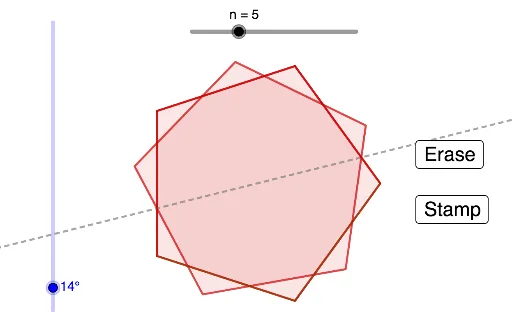
This example demonstrates how to draw symmetric shapes using rotation and mirroring operations. Key mathematical concepts include symmetry, conic sections, and triangles. It utilizes commands such as Rotate, Polygon, Line, and Mirror in GeoGebra. Suitable for high school mathematics education and learning.
GeoGebra Commands & Parameters
Rotate(A, (360 * ° / n), O) → A'Polygon(A, A', n) → Polygon1, f, q, B_1, C, D, E, F, G, H, I, g, h, i, j, k, l, m, pRotate(A, α, O) → BLine(O, B) → rMirror(Polygon1, r) → Polygon1'
AI Drawing Prompt Reference
Draw a symmetric figure consisting of a regular polygon and its mirror image. Start by placing a center point and an initial vertex. Rotate this vertex around the center by an angle equal to 360 degrees divided by the number of sides to get the next vertex, then connect all vertices to form the regular polygon. Next, draw a line from the center through the initial vertex as the axis of symmetry. Finally, reflect the entire polygon across this line to create its mirrored copy, demonstrating the symmetry of the shape.
The prompt above was compiled from the original drawing commands and is for reference only.