
Symmetry Challenge 8
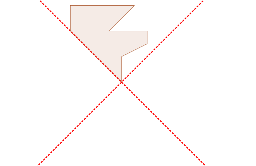
Loading the math board and drawing, please wait…
This example demonstrates symmetry through geometric transformations, involving linear functions, geometric transformations, and statistics. Using GeoGebra commands such as Line, Point, Intersect, and Polygon, users can construct complex geometric shapes. Suitable for high school mathematics education and learning.
GeoGebra Commands & Parameters
Line(A, B) → aLine(C, D) → bPoint(b) → EIntersect(a, b) → LPolygon(E, F, G, H, I, J, K, L) → poly1, e, f, g, h, i, j, k, l
AI Drawing Prompt Reference
Draw a symmetric figure using two lines a and b. First, draw line a through points A and B, then draw line b through points C and D. Pick a point E on line b, and find the intersection point L of lines a and b. Finally, draw a polygon using points E, F, G, H, I, J, K, and L.
The prompt above was compiled from the original drawing commands and is for reference only.