
Surfaces Between Curves
Loading the math board and drawing, please wait…
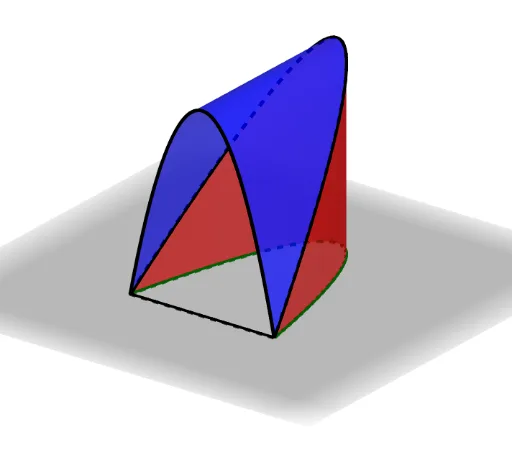
This example demonstrates how to generate a surface between two curves. It involves core mathematical concepts like surfaces, planes, means, line segments, constructions, and solids or 3D shapes. The construction uses GeoGebra commands such as CurveCartesian for Cartesian curves and Surface for creating the surface. It is suitable for high school and above students learning about surface constructions in solid geometry.
GeoGebra Commands & Parameters
CurveCartesian(t, 0, f(t), t, 1, 6) → aCurveCartesian(t, f(t), f(t), t, 1, 6) → bCurveCartesian(t, 0, 0, t, 1, 6) → cSurface((u * t) + ((1 - u) * x(b(t))), (u * f(t)) + ((1 - u) * y(b(t))), (u * 0) + ((1 - u) * z(b(t))), t, 1, 6, u, 0, 1) → dSurface((u * x(a(t))) + ((1 - u) * x(b(t))), (u * y(a(t))) + ((1 - u) * y(b(t))), (u * z(a(t))) + ((1 - u) * z(b(t))), t, 1, 6, u, 0, 1) → eSurface((u * x(c(t))) + ((1 - u) * x(a(t))), (u * y(c(t))) + ((1 - u) * y(a(t))), (u * z(c(t))) + ((1 - u) * z(a(t))), t, 1, 6, u, 0, 1) → g
AI Drawing Prompt Reference
Draw surfaces between two Cartesian curves, one extending along the x-axis and the other along the y-axis, and show how linear interpolation between these curves generates multiple surfaces, ultimately forming two enclosed 3D shapes to demonstrate surface construction in solid geometry.
The prompt above was compiled from the original drawing commands and is for reference only.