
Surface of Revolution Template
Loading the math board and drawing, please wait…
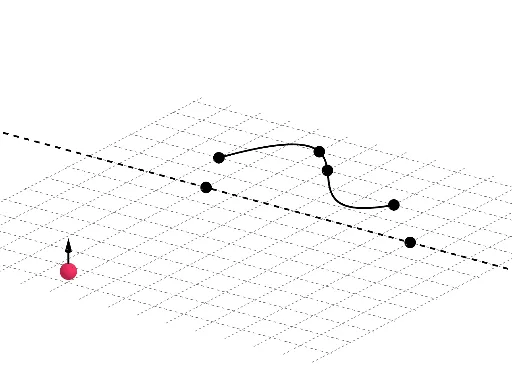
① This example demonstrates how to construct a surface of revolution in GeoGebra, showing the 3D shape generated by rotating a planar curve around an axis. ② Core mathematical concepts include solid geometry (surfaces of revolution), trigonometric functions, similar triangles, parallelograms, matrix transformations, and statistical fitting. ③ Construction highlights: commands PointIn, FitPoly, Line, Segment, Point, Max, Vector, Surface, Rotate are used together with objects f, A, B, C, D, E, F, G, H, l1, g, h, J, I, i, j, K, a, u, v, b, h_1 to parameterize and rotate the surface. ④ Suitable for high‑school solid geometry, university calculus demonstrations, and interactive GeoGebra classroom activities.
GeoGebra Commands & Parameters
PointIn(f) → APointIn(f) → BPointIn(f) → CPointIn(f) → DFitPoly({E, F, G, H}, 3) → gLine(I, J) → iSegment((-2, -1, -3.14), (-2, -1, 3.14)) → jPoint(j) → KMax(l1) → aVector(K, K + (0, 0, 1)) → uVector(K, K + (0, 0, -1)) → vSurface(h, z(K) + 3.14, i) → bRotate(h, z(K) + 3.14, i) → h_1
AI Drawing Prompt Reference
First pick four points on a planar curve and fit a cubic polynomial to obtain a smooth curve. Then define a rotation axis by a line through two points and draw a segment on this axis to serve as a parameter interval. Choose a point on the segment; use its z‑coordinate plus π as the rotation angle and create two opposite vectors along the axis. Finally revolve the fitted curve around the axis through that angle to generate a surface of revolution, and also produce the rotated copy of the surface.
The prompt above was compiled from the original drawing commands and is for reference only.