
Surface of Revolution: Formed by Rotating Area Between Two Functions
Loading the math board and drawing, please wait…
In collections
GeoGebra 3D & AR: PreCalc & Calculus Resources
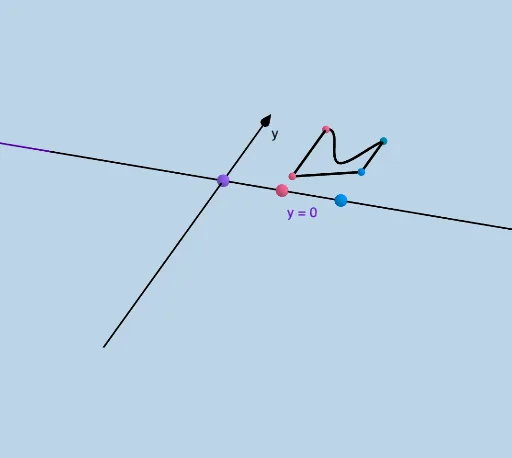
This example demonstrates how to form a surface of revolution by rotating the area between y=f(x) and y=g(x). Key mathematical concepts include functions, integration, and rotation. GeoGebra commands used include Surface, Textfield, IntegralBetween, Rotate, etc. Suitable for high school and above students learning calculus and geometric transformations.
GeoGebra Commands & Parameters
Surface(u, c + ((f(u) - c) * cos(v)), ((f(u) - c) * sin(v)), u, a, b, v, 0, n) → OuterHTextfield(c) → InputBox1Surface(u, c + ((h(u) - c) * cos(v)), ((h(u) - c) * sin(v)), u, a, b, v, 0, n) → InnerHIntegralBetween(f, h, a, b) → rSurface(o + ((u - o) * cos(v)), f(u), ((u - o) * sin(v)), u, a, b, v, 0, n) → VerticalOuterSurface(o + ((u - o) * cos(v)), h(u), ((u - o) * sin(v)), u, a, b, v, 0, n) → VerticalInnerSegment((a, 0), (a, h(a))) → g_1Segment((b, h(b), 0), (b, f(b), 0)) → h_1Rotate(h_1, (-n), (b, c, 0), k) → i_1Rotate(g, (-n), k) → g_2Rotate(p, (-n), k) → p_1Segment((a, h(a), 0), (a, f(a), 0)) → j_1Rotate(j_1, (-n), k) → k_1CurveCartesian(a, (f(a) * t) + (h(a) * (1 - t)), 0, t, 0, 1) → wCurveCartesian(b, (f(b) * t) + (h(b) * (1 - t)), 0, t, 0, 1) → b_1Surface(w, n, k) → c_1Mirror(c_1, z = 0) → LeftHSurface(b_1, n, k) → e_1Mirror(e_1, z = 0) → RightHSurface(w, n, f_1) → dSurface(b_1, n, f_1) → eMirror(d, z = 0) → LesserBoundaryVMirror(e, z = 0) → GreaterBoundaryVRotate(p, (-n), f_1) → p_2Rotate(b_1, (-n), f_1) → uRotate(g, (-n), f_1) → g_3Rotate(w, (-n), f_1) → w'Rotate(D, If[0 < n ≤ pi, (-n), -3.14], k) → D'Rotate(E, If[0 < n ≤ pi, (-n), -3.14], k) → E'CircleArc((b, c, 0), E, E') → qCircleArc((b, c, 0), D, D') → tMirror(E, k) → E'_1CircleArc(F, E, E'_1) → d_1CircleArc(F, E, E'_1) → q_1Mirror(D, k) → D'_1Rotate(D'_1, If[pi < n ≤ (2 * pi), (-(n - pi)), 6.28], k) → GCircleArc(F, D', G) → r_1Rotate(E'_1, If[pi < n ≤ (2 * pi), (-(n - pi)), 6.28], k) → HCircleArc(F, E', H) → s_1Rotate(E, If[0 < n ≤ pi, (-n), -3.14], f_1) → E'_2Rotate(D, If[0 < n ≤ pi, (-n), -3.14], f_1) → D'_2Mirror(E, f_1) → E'_3Mirror(D, f_1) → D'_3CircleArc(I, E, E'_2) → t_1CircleArc(J, D, D'_2) → c_2Rotate(D'_3, If[pi < n < (2 * pi), (-(n - pi)), -3.14], f_1) → KRotate(E'_3, If[pi < n < (2 * pi), (-(n - pi)), -3.14], f_1) → LCircleArc(J, D'_3, K) → d_2CircleArc(I, E'_3, L) → e_2Rotate(N, If[0 < n ≤ pi, (-n), -3.14], M, k) → N'Rotate(O, If[0 < n ≤ pi, (-n), -3.14], M, k) → A'CircleArc(M, N, N') → f_2CircleArc(M, O, A') → h_2Mirror(N, k) → N'_1Mirror(O, k) → O'Rotate(N'_1, If[pi < n < (2 * pi), (-(n - pi)), -3.14], k) → PRotate(O', If[pi < n < (2 * pi), (-(n - pi)), -3.14], k) → O''CircleArc(M, O', O'') → k_2CircleArc(M, N'_1, P) → q_2Rotate(N, If[0 < n ≤ pi, (-n), -3.14], I, f_1) → N'_2Rotate(O, If[0 < n ≤ pi, (-n), -3.14], I, f_1) → O'_1CircleArc(Q, N, N'_2) → r_2CircleArc(R, O, O'_1) → s_2Mirror(N, f_1) → N'_3Mirror(O, f_1) → O'_2Rotate(N'_3, If[pi < n ≤ (2 * pi), (-(n - pi)), -3.14], Q, f_1) → SRotate(O'_2, If[pi < n ≤ (2 * pi), (-(n - pi)), -3.14], Q, f_1) → TCircleArc(Q, N'_3, S) → t_2CircleArc(R, O'_2, T) → c_3Textfield(o) → InputBox2Textfield(a) → InputBox3Textfield(b) → InputBox4Textfield(f) → InputBox5Textfield(h) → InputBox6
AI Drawing Prompt Reference
Draw a surface of revolution formed by rotating the area between two functions, f(x) and g(x). Start by plotting the two function curves, then calculate the integral between them to generate the rotating surface. Also, draw vertical line segments connecting the function curves to the x-axis and rotate them to show the rotation process. Finally, combine the surface with the line segments to form the complete solid of revolution.
The prompt above was compiled from the original drawing commands and is for reference only.