
Surface of Revolution: Curved Cross Section (1)
Loading the math board and drawing, please wait…
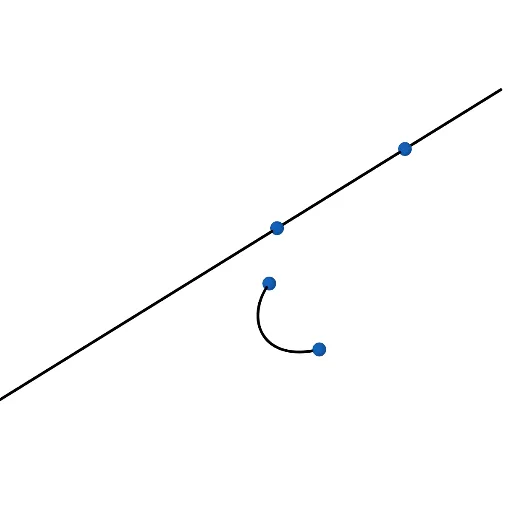
① This example demonstrates how to generate a 3D surface of revolution by rotating a curved planar cross-section around an axis, visualizing the transition from a 2D curve to a 3D solid. ② Core mathematical concepts include surfaces of revolution, parametric curves, 3D rotation transformations, and parametric representation of curves and surfaces. ③ Construction highlights: using GeoGebra commands such as CurveCartesian to define the curved cross-section, Surface combined with Rotate to create the revolution surface, and Line, Vector to set up the axis and auxiliary vectors; involved objects include A, B, f, C, D, u, a, n, b. ④ Suitable for high school or early college students learning solid geometry, parametric equations, and 3D construction, as well as for mathematics visualization demonstrations.
GeoGebra Commands & Parameters
Line(A, B) → fVector(C, D) → uCurveCartesian(x(C) + (k * x(u)), y(C) + (k^(2) * y(u)), z(C) + (k^(3) * z(u)), k, 0, 1) → aSurface(a, n, f) → bRotate(a, n, f) → a'
AI Drawing Prompt Reference
Create a 3D surface of revolution by rotating a curved cross-section around an axis. Start by defining an axis line in space and an auxiliary vector. Then, generate a curved planar cross-section using a cubic parametric equation based on the vector, producing a smooth curve from start to end. Rotate this curve around the axis to form a continuous surface. Finally, rotate the original curve around the same axis to show a copy, illustrating the transition from a 2D curve to a 3D solid. The scene should include the axis, the original curve, the rotated curve, and the generated surface.
The prompt above was compiled from the original drawing commands and is for reference only.